IPTV Service USA Every Channel. One Screen. Live TV in 4K
PrimeStream TV 4K is the IPTV service built for American homes: 55,000+ live channels and 190,000 movies and series in HD and 4K, with a built-in VPN and 24/7 WhatsApp help. Try it free for 24 hours on your Firestick, Smart TV, Roku, phone or computer.
What is an IPTV service and how does it work?
An IPTV service delivers live TV channels and on-demand movies over your internet connection instead of a cable box, antenna or satellite dish. You install an IPTV app on a device you already own, enter the login we send you, and watch everything in one place.
IPTV stands for Internet Protocol Television. The channels travel as data streams from our servers to your IPTV player, the same way a streaming app works, but with live channels, a full TV guide (EPG) and a video-on-demand (VOD) library in a single subscription. All you need is a stable connection: 10 Mbps for HD and 25 Mbps or more for 4K.
With PrimeStream TV 4K there is no technician, no rented box and no contract. You pay once for the period you choose, and our team helps you install it over WhatsApp. New to the topic? Read our complete guide: what is IPTV.
Table of Contents
IPTV channels, movies and series
Local news, national networks, live sports, premium movies, box sets, kids and Latino channels, all included in every plan and updated daily. Browse the IPTV channel list by category or see how to watch live sports on IPTV without buffering.
Local & national
Live sports
Movies
Series
Kids
Latino & world
IPTV on Firestick, Smart TV, Roku, phone and PC
Works with M3U, MAG and Xtream Codes, so it runs in every popular IPTV player. We recommend the best app for your device and set it up with you. See the IPTV app and setup guides or our guide to IPTV on Smart TV.
Firestick / Fire TV
Samsung & LG TV
Roku
Apple TV / iPhone
Android TV / Box
PC / Mac
What is the best IPTV service in the USA?
The best IPTV service is the one that plays smoothly on your own TV and internet. That is why we let you test it free before you pay. Use our 7-point IPTV provider checklist to compare.
HD, Full HD and 4K
Most channels come in several qualities, so live games and premieres keep playing even when your connection dips.
VPN built in
Privacy is handled on the server side, so you don’t need to buy or configure a separate VPN app.
Real help 24/7
A real person answers on WhatsApp day and night. If an access problem appears, we fix it or replace it.
Player license included
If your IPTV app needs a paid activation, we include it at no extra cost with every paid plan.
One-time payment
No contract, no hidden fees and no auto-renewal. Renew only if you want to keep watching.
1 to 5 screens
Plans for one device or the whole household, each with its own connection so nobody gets kicked off.
Start watching IPTV in 3 steps
Request your free trial
24 hours of full access to check picture quality and stability on your own connection.
Get your login
We send your details in minutes and walk you through the app setup step by step.
Pick your plan
Like it? Choose 1, 3, 6 or 12 months for 1 to 5 devices. One-time payment, no auto-renewal.
Free IPTV trial for 24 hours
Before you pay, see it for yourself: full access for 24 hours, no credit card and no commitment. How the free IPTV trial works.
IPTV plans and prices
Choose how many screens you need, then the duration. Every plan includes the same channels, VOD, 4K and support. Prices in USD for the full plan.
Payment methods
Pick the method you prefer and we send you a secure payment link.
IPTV vs cable vs streaming apps
Cable bundles lock you into contracts and rented boxes, and streaming apps split your favorite shows across several monthly bills. An IPTV service puts live channels, sports and on-demand content in one app, on the screens you already own. Here is how they compare:
| Feature | PrimeStream TV 4K | Cable / satellite | Separate streaming apps |
|---|---|---|---|
| Live channels | 55,000+ | Limited by package | Few or none |
| Movies & series on demand | 190,000+ | Extra cost | Split across apps |
| Live sports | Included | Sports tier extra | Separate subscriptions |
| Contract | None | Often 12–24 months | Monthly auto-renewal |
| Equipment | Your own devices | Rented box | Your own devices |
| Price | From $14/month, $59/year | High monthly bill | Adds up per app |
Want the full breakdown? Read IPTV vs cable TV and our guide to choosing the best IPTV. For background on the technology, Wikipedia has a solid overview of Internet Protocol television.
IPTV guides and resources
Practical guides from our support team, based on the questions customers ask us every day.
How IPTV works behind the scenes
We take each live channel, encode it in several qualities and stream it from our servers to the IPTV app on your device in real time. Your app then shows the channels in a familiar grid with a TV guide, just like cable.
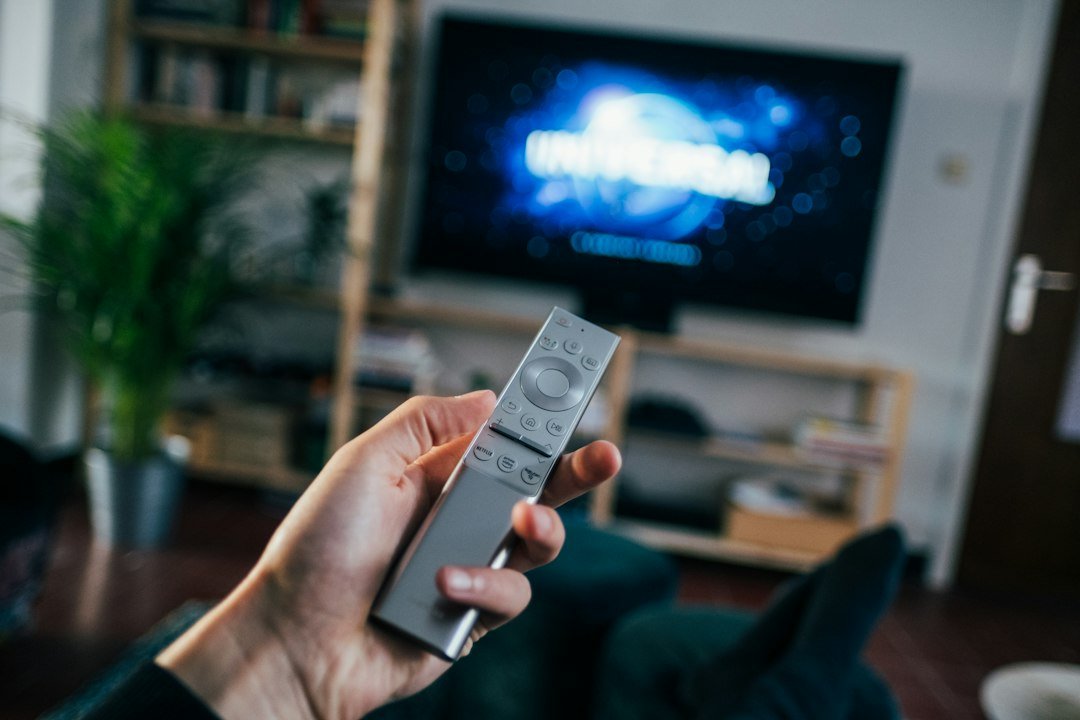
Three building blocks make it work. First, the live streams: every channel is delivered in HD, Full HD and, where the source allows, 4K. Second, the electronic program guide (EPG), which tells your app what is on now and next. Third, the video-on-demand library, where movies and series sit ready to play from the beginning whenever you want.
When you log in with Xtream Codes, the app downloads all three automatically. With an M3U playlist you get the same channels in one link, and we send a separate EPG link. MAG boxes connect through a portal address tied to the box’s MAC address. Whatever the format, the content is the same.
Because the signal arrives over the internet, the quality you see depends on two things: our servers and your home network. We take care of the first. For the second, a wired Ethernet connection or 5 GHz Wi-Fi and at least 25 Mbps per 4K screen make the biggest difference. That is also why we insist on a free trial: it is the only honest way to see how a provider performs on your own connection.
How to choose the best IPTV service in the USA
Hundreds of sellers advertise IPTV, and many disappear within months. Before you pay anyone, check these seven points:
- A real free trial. At least 24 hours, full access, no credit card. If a provider will not let you test, walk away.
- Clear prices in US dollars. The total for each plan should be on the website, not hidden behind a chat.
- No auto-renewal. A one-time payment protects you from surprise charges.
- Support you can reach. Send a question before you buy and time the answer.
- Device coverage. The provider should explain how to set up Firestick, Smart TVs, Roku and phones.
- Multi-screen options. Households need plans for several simultaneous connections.
- A legal-use policy. A serious provider asks customers to watch only content they are authorized to access.
PrimeStream TV 4K was built around this checklist. For a deeper comparison, read our IPTV provider guide and our honest take on the best IPTV.
Which plan fits your household?
The right plan depends on how many screens play at the same time, not on how many devices you own. Here are the four situations we see most often:
| Household | Typical use | Plan we suggest |
|---|---|---|
| Single viewer | One TV or one Firestick, mostly evenings | 1 device, 12 months ($59) |
| Couple | Living room TV plus a phone or tablet | Duo, 2 devices |
| Family | Kids’ channels upstairs, sports downstairs | Family, 3 devices |
| Sports house | Several games at once on weekends | Household or Ultimate, 4–5 devices |
Every plan includes the same service: all channels, the full VOD library, 4K quality, the built-in VPN and the player license. Compare durations and prices on our IPTV plans page.
Is IPTV legal and safe in the USA?
IPTV itself is a legal technology: many licensed TV companies deliver their channels over internet protocol. What matters is the content and how you use it.
Our terms of service require customers to use PrimeStream TV 4K only for content they are authorized to watch where they live. On the safety side, we never ask for card numbers in a chat, payments go through established providers such as PayPal, card processors, Apple Pay, Google Pay, Amazon Pay and Shop Pay, and the built-in VPN keeps your viewing private on the server side.
Be careful with any seller that asks you to install unknown APK files from random links, offers “lifetime” access for a single small payment or has no way to contact a person. Those are the most common warning signs we hear about from customers who switched to us. The Federal Trade Commission also publishes practical advice on how to avoid online scams.
Your first week with PrimeStream TV 4K
Most new customers follow the same path, and knowing it in advance makes the switch from cable painless.
Day 1: test and set up
Request the free trial, install the recommended player on your main TV and add your login. Spend the evening on the channels you watch most: local news, a live game and a couple of movies from the on-demand library. If anything looks off, message us; most setup questions are solved in a few minutes.
Day 2: choose your plan
Decide how many screens need to play at the same time and pick a duration. Annual plans cost the least per month, while the one-month plan is perfect if you want to see how a full billing cycle feels first.
Days 3 to 7: make it yours
Build a favorites list so your top channels are one click away, set the right time zone so the TV guide lines up, and explore catch-up on supported channels. Families usually add a parental PIN at this point, and sports fans check which channels carry their team so game day is ready. If you travel, install the same app on your phone or tablet and sign in with the same details; your plan works anywhere with a stable connection. By the end of the week, the remote that used to open the cable box opens your IPTV app instead, and the monthly bill is a fraction of what it was.
Questions along the way? Our support team is on WhatsApp 24/7, and the IPTV app guides cover every device step by step.
IPTV service FAQ
For one device our IPTV service costs $14 for 1 month, $30 for 3 months, $40 for 6 months or $59 for 12 months, which is under $5 a month. Plans for 2 to 5 devices start at $26 a month. Every plan is a one-time payment.
Yes. We offer a free IPTV trial for 24 hours with full access, no credit card and no commitment. Request it on our free trial page or on WhatsApp.
IPTV is a legal technology used by many licensed TV providers. What matters is the content: use any IPTV service only for content you are authorized to watch. Our terms of service explain acceptable use. Read our plain-English guide: is IPTV legal in the USA?
Amazon Firestick and Fire TV, Samsung and LG Smart TVs, Roku (via screen mirroring or a compatible player), Apple TV, Android TV boxes, iPhone, iPad, Android phones, Windows PCs and Macs. We support M3U, MAG and Xtream Codes.
We recommend at least 10 Mbps for HD, 15 Mbps for Full HD and 25 Mbps or more for 4K, ideally over Ethernet or 5 GHz Wi-Fi. The free trial is the best way to check your own connection.
No. A VPN is already built into our servers on every plan, so you don’t need to install or pay for anything else.
Usually under 5 minutes after payment. We send your login by WhatsApp or email and help you set it up.
No. You pay once for the period you choose. Nothing renews automatically: when it ends, you decide whether to renew.
Yes. Choose a plan for 2, 3, 4 or 5 devices. Each screen gets its own connection, so everyone in the house can watch something different.
Message us on WhatsApp at any time. We fix the problem or replace your access, so you are never left without TV.
More answers in our full IPTV FAQ.
Try PrimeStream TV 4K today, decide tomorrow
24 hours free. No credit card. No commitment.