1. What Is an IPTV Box?
An IPTV box is a small streaming device that connects to your TV through HDMI and plays live channels delivered over the internet. It replaces the cable box under your TV. Instead of a coaxial cable, it uses your home internet, and instead of a fixed channel package, it plays whatever IPTV subscription you add to an app on it.
The most important thing to understand is that the hardware and the service are two separate things. The device does not come with channels. You install an IPTV player app, such as TiviMate, IPTV Smarters Pro or IBO Player, and then enter the Xtream Codes login or M3U playlist from your provider. If you are new to how this works, start with our guide to what IPTV is.
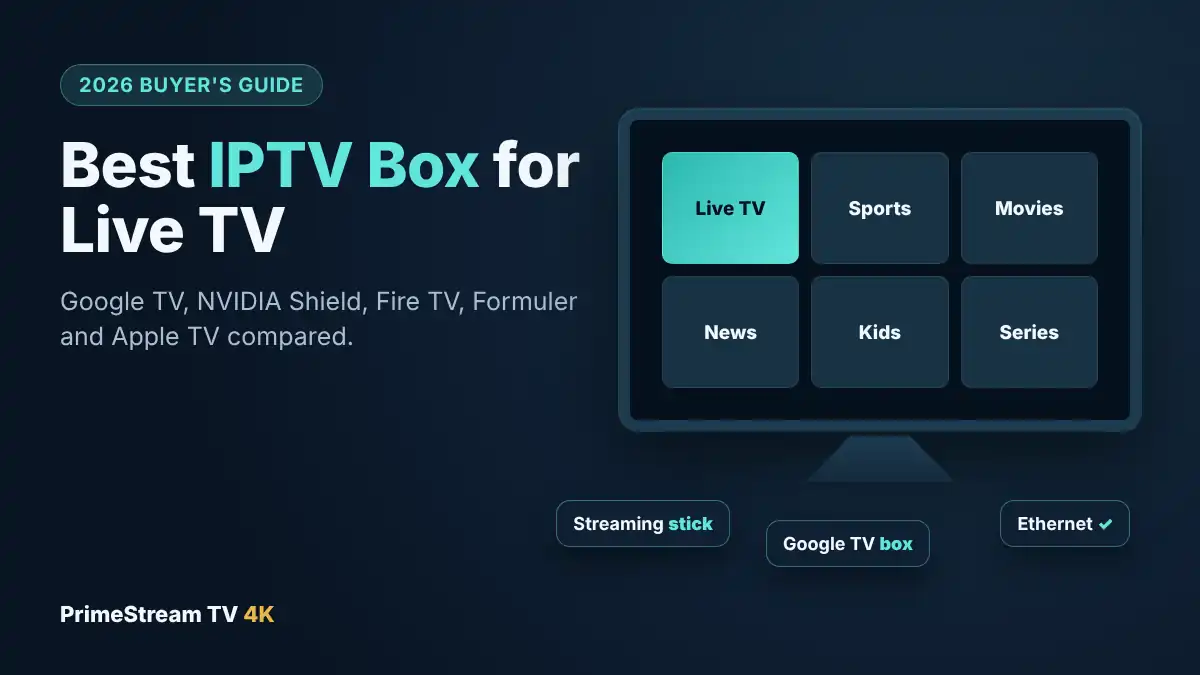
In practice, “IPTV box” covers three kinds of devices:
- Streaming sticks that plug straight into the HDMI port, like the Fire TV Stick. Cheap and tidy, but usually Wi-Fi only.
- Streaming boxes such as the Google TV Streamer, NVIDIA Shield or Fire TV Cube. More power, more storage and an Ethernet port.
- Dedicated IPTV boxes such as Formuler and MAG, designed around live TV with a built-in IPTV app.
Your smart TV can also play IPTV with the right app, which our IPTV Smart TV guide covers. But a separate box is usually faster, gets app updates sooner and supports more players than the apps built into Samsung, LG or Roku TVs.
2. Best IPTV Box Picks at a Glance
We compared the devices most often used for IPTV in American homes. To find the best IPTV box for your setup, the table focuses on what matters for live TV: which IPTV apps the device runs, whether it has a wired connection, and how much room it leaves for apps and the TV guide.
| Device | Best for | Ethernet | IPTV apps |
|---|---|---|---|
| Google TV Streamer | Best overall | Yes, gigabit | All major players from Google Play |
| NVIDIA Shield TV Pro | Power users, recording | Yes, gigabit | All major players |
| Fire TV Stick 4K Max (Fire OS) | Budget, second TVs | With an adapter | Appstore apps plus Downloader |
| Fire TV Cube (3rd gen) | Fire TV fans who want a wired link | Yes, built in | Appstore apps plus Downloader |
| Formuler (Z11 series) | Live TV first households | Yes | MYTVOnline built in, plus Android apps |
| Apple TV 4K | iPhone and Mac homes | 128GB model only | App Store players |
| MAG box | Simple remote, portal login | Yes | Built-in portal only |
We do not sell hardware and do not earn a commission on any device in this list. The picks reflect what works reliably with standard Xtream Codes and M3U logins, which is how almost every IPTV service in the USA is delivered.
3. Google TV Streamer: Best Overall IPTV Box
Google’s own box replaced the Chromecast with Google TV in 2024, and it is our first choice for most homes. According to Google’s official spec sheet, it has 4 GB of memory, 32 GB of storage and a gigabit Ethernet port, which is more headroom than most sticks offer.
Why it works well for IPTV:
- It runs certified Google TV, so TiviMate, IPTV Smarters Pro, IBO Player and XCIPTV install straight from Google Play.
- The Ethernet port keeps live sport stable when the whole family is online.
- 32 GB leaves plenty of space for a large TV guide (EPG), cached artwork and several player apps.
- Google TV continues to receive security updates, which matters on a device that sits on your home network.
Things to know: its Wi-Fi is Wi-Fi 5, not Wi-Fi 6, so plug in the cable if you can. It is also a box rather than a stick, so it needs a spot near the TV and a power outlet.
Our recommended player on Google TV is TiviMate, which gives you a cable-style guide. Follow our TiviMate setup guide and you can be watching in about 10 minutes.
4. NVIDIA Shield TV Pro: Best IPTV Box for Power Users
The Shield TV Pro has been the enthusiast choice for years. It runs Android TV with 3 GB of memory, 16 GB of storage, gigabit Ethernet and two USB 3.0 ports. NVIDIA’s AI upscaling also sharpens HD channels on a 4K screen, which helps because many live sports channels still broadcast in 720p or 1080p.
- Best for recording: the USB 3.0 ports take an external drive, so TiviMate Premium can record shows and games directly to it.
- Fast channel switching: the processor handles large playlists and multi-view without lag.
- Long software support: NVIDIA has kept the Shield updated far longer than most Android devices.
The downside is age: the current design dates from 2019, and it costs more than the Google TV Streamer. Choose it if you want recording or media-server apps alongside IPTV. For pure live TV, the Google TV Streamer gives you the same app support for less.
5. Fire TV Stick 4K Max: Best Budget IPTV Stick
The Fire TV Stick is still the most common streaming device in American homes, and the 4K Max (2nd generation) is the best one for IPTV. It has a 2.0 GHz quad-core processor, 16 GB of storage and Wi-Fi 6E, so it holds a strong wireless signal if your router supports the 6 GHz band.
Some IPTV players, including IPTV Smarters Pro, are available in the Amazon Appstore. Others, such as TiviMate, are installed with the free Downloader app. Our IPTV on Firestick guide walks through both methods step by step.
Important change for 2026: check the operating system before you buy. Amazon has started moving its sticks from Android-based Fire OS to a new Linux-based system called Vega OS. The first Vega model, the Fire TV Stick 4K Select, only installs apps from the Amazon Appstore, and Amazon has said future Fire TV Sticks will run Vega OS. That means many IPTV players cannot be installed on these newer sticks. If you want the widest choice of apps, buy a Fire TV Stick 4K Max or another model that runs Fire OS, and check the product page before you order.
Tip: the stick has no Ethernet port, but Amazon’s Ethernet adapter plugs into its power cable. For a living room TV that streams live sport, the adapter is worth it.
6. Fire TV Cube: Best Fire TV With Ethernet
If your household already uses Alexa and the Fire TV menus, the Fire TV Cube (3rd generation) is the upgrade to consider. It runs Fire OS, so it installs the same apps as the 4K Max, and it adds a built-in Ethernet port, a faster octa-core processor and hands-free Alexa voice control.
The Cube is a good middle ground: you keep the familiar Fire TV interface, but you get a wired connection without adapters. It also has an HDMI input, so it can control a cable or satellite box if you are moving over gradually. As with the stick, confirm the model runs Fire OS rather than Vega OS before buying.
7. Formuler: The Best IPTV Box for Live TV Fans
Formuler makes Android TV boxes designed specifically for IPTV. Models in the Z11 series come with MYTVOnline, Formuler’s own IPTV app, pre-installed, along with an Ethernet port and a remote with dedicated live TV buttons. Because they run Android, you can still install TiviMate or IPTV Smarters Pro if you prefer them.
- Strengths: a live-TV-first menu, quick channel zapping, a remote that feels like a cable remote, and good EPG handling.
- Weaknesses: they are usually bought from specialist retailers rather than big-box stores, and they cost more than a Fire TV Stick.
If you buy one, our Formuler MYTVOnline setup guide shows how to add your login in a few minutes.
8. Apple TV 4K and MAG Boxes
Apple TV 4K
Apple TV 4K is the smoothest choice for homes that already use iPhones and Macs. It has a fast chip and a long support life, and IPTV players such as Hot Player and IBO Pro Player are available in the App Store. Two limits apply: you can only install apps from the App Store, so the choice of players is smaller than on Android TV, and only the 128 GB Wi-Fi + Ethernet model has an Ethernet port.
MAG boxes
MAG boxes are Linux-based set-top boxes that many long-time IPTV viewers know. They do not use Xtream Codes or M3U in the usual way: instead, they connect to a “portal URL”, and the provider links your subscription to the box’s MAC address. They are simple and stable, but you cannot add other apps, and not every provider supports MAG portals. If you are thinking about a MAG box, ask our support team before you buy so you know how your login will work.
9. Boxes to Avoid: Roku and “Fully Loaded” Android Boxes
Roku
Roku is excellent for apps like Netflix, but it is a weak IPTV box. Roku does not let you install apps from outside its Channel Store, and the IPTV players there are limited. If you already own a Roku TV, the easiest fix is a Fire TV Stick or Google TV Streamer plugged into a spare HDMI port. Our IPTV on Roku guide explains every option.
Unbranded “fully loaded” Android boxes
Cheap, unbranded Android boxes sold online as “unlocked” or “free TV forever” are the one type of IPTV box we tell people to avoid. In June 2025 the FBI published a public service announcement, “Home Internet Connected Devices Facilitate Criminal Activity”, about the BADBOX 2.0 botnet. It warns that TV streaming devices from unknown brands can be infected with malware before you even open the box, or during setup, and can then be used for criminal activity through your home internet connection.
The FBI’s warning signs include:
- Generic streaming devices advertised as “unlocked” or able to access free content.
- Unrecognizable brands.
- Requests to disable Google Play Protect.
- App stores you have never heard of.
“Fully loaded” boxes also tend to come with unknown, unlicensed streams that stop working without warning, and with no support behind them. A certified device from a known brand plus a subscription with real support is safer and costs less over a year.
10. How to Choose an IPTV Box: 7 Checks
The best IPTV box for your home depends on your TV, your internet and the apps you like. Before you buy, run through this checklist:
- Operating system. Google TV, Android TV or Fire OS gives you the widest choice of IPTV players. Vega OS, Roku and tvOS are limited to their own app stores.
- Certification. Look for “Google TV” or “Android TV” certification and the Google Play Store. A box with only an unfamiliar app store is a red flag.
- Ethernet. A wired connection is the single biggest upgrade for live sport. If the device has no port, check that an adapter is available.
- Memory and storage. Aim for at least 2 GB of RAM and 8 GB of storage. Large playlists and a 7-day TV guide use more space than you might expect.
- 4K and HDR. A 4K device lets you watch 4K channels and on-demand titles in full quality and upscales HD channels better.
- Remote. Number buttons and a guide button make channel surfing much easier, which is where Formuler boxes shine.
- Internet speed. Plan on about 25 Mbps for each 4K screen and 10 to 15 Mbps for each HD screen watching at the same time.
If several people will watch on different TVs, count the screens before choosing a plan. Our IPTV plans start at $14 a month for one device, with multi-device plans for 2 to 5 screens.
11. How to Set Up Your IPTV Box in 10 Minutes
Whichever box you choose, the setup follows the same pattern:
- Connect the box to your TV with HDMI, plug in power and, if possible, an Ethernet cable.
- Sign in and update. Sign in with your Google, Amazon or Apple account and install any system updates.
- Install a player. TiviMate or IPTV Smarters Pro on Google TV and Android TV, IPTV Smarters Pro or TiviMate (via Downloader) on Fire OS, or MYTVOnline on Formuler. See all options on our IPTV apps page or compare them in our best IPTV player guide.
- Add your login. Enter the Xtream Codes details (server, username, password) or M3U link you received by WhatsApp or email.
- Load the TV guide. Let the EPG finish loading, then add your favorite channels.
- Test at peak time. Watch a live game in the evening to confirm the picture holds steady on your connection.
The best way to test a new IPTV box is with a free IPTV trial. Our 24-hour trial includes an Xtream Codes login that works in the players on these devices, and our team helps with setup on WhatsApp, 24/7. If something does not work, we fix it or replace your access. You can also check our IPTV sports guide if game day is the main reason you are switching.
12. Frequently Asked Questions
What is the best IPTV box in 2026?
For most homes, the Google TV Streamer is the best IPTV box: it runs every major IPTV player from Google Play, has 4 GB of memory, 32 GB of storage and gigabit Ethernet. The NVIDIA Shield TV Pro is best for power users, and the Fire TV Stick 4K Max is the best budget option.
Do IPTV boxes come with channels?
No. An IPTV box is only the hardware. You need a subscription from an IPTV provider and add its Xtream Codes login or M3U playlist to an IPTV player app on the box.
Is a Firestick good enough for IPTV?
Yes. A Fire TV Stick 4K Max running Fire OS handles IPTV well, especially with an Ethernet adapter. Avoid newer sticks that run Vega OS if you want apps that are not in the Amazon Appstore.
Are “fully loaded” IPTV boxes safe?
No. The FBI warned in June 2025 that generic streaming boxes advertised as unlocked or offering free content can carry BADBOX 2.0 malware. Buy a certified device from a known brand instead.
Can I use IPTV on a Roku?
Only in a limited way, because Roku does not allow apps from outside its Channel Store. The simplest fix is to plug a Fire TV Stick or Google TV Streamer into the Roku TV’s HDMI port.
Do I need Ethernet for an IPTV box?
It is not required, but a wired connection is the most reliable way to avoid buffering during live sport. Use Ethernet whenever the router is close enough, or an adapter on sticks.
How much internet speed does an IPTV box need?
Plan on about 25 Mbps for each 4K screen and 10 to 15 Mbps for each HD screen watching at the same time.
Can I try my IPTV box before choosing a plan?
Yes. Our free 24-hour trial works on Google TV, Android TV, Fire TV, Formuler, Apple TV and smart TVs, and we help you set it up on WhatsApp.
13. Conclusion
The best IPTV box is the one that runs the player you like, connects by cable and comes from a brand that keeps it updated. For most American homes that means the Google TV Streamer, with the NVIDIA Shield TV Pro for power users, the Fire TV Stick 4K Max on a budget and a Formuler box if live TV comes first. Skip unbranded “fully loaded” boxes and check that any new Fire TV Stick still runs Fire OS. Once your device is ready, request your free 24-hour trial, test a live game at peak time, and then pick one of our IPTV plans for every screen in your home.