1. What Is an M3U Playlist?
M3U is one of the oldest playlist formats on the internet. It was first used for MP3 music playlists, and today it is the most common way to deliver an IPTV channel list. An M3U playlist is simply a text file that tells a player where to find each stream and what to call it.
In IPTV, you usually receive the playlist as a link rather than a file. The link points to a list on your provider’s server that is created for your account. When you paste it into an IPTV player, the app reads the list and shows every channel, grouped by category, ready to watch.
Two points are worth knowing from the start:
- The playlist is not the content. It is a list of addresses. If the subscription behind it ends, the list still exists but the channels stop playing.
- The player matters. The same playlist can look very different in TiviMate, IPTV Smarters Pro or VLC. See our best IPTV player comparison to choose one for your device.
If you are still getting to grips with the basics, our guide to what IPTV is explains how live TV reaches your screen over the internet.
2. What Is Inside an M3U File?
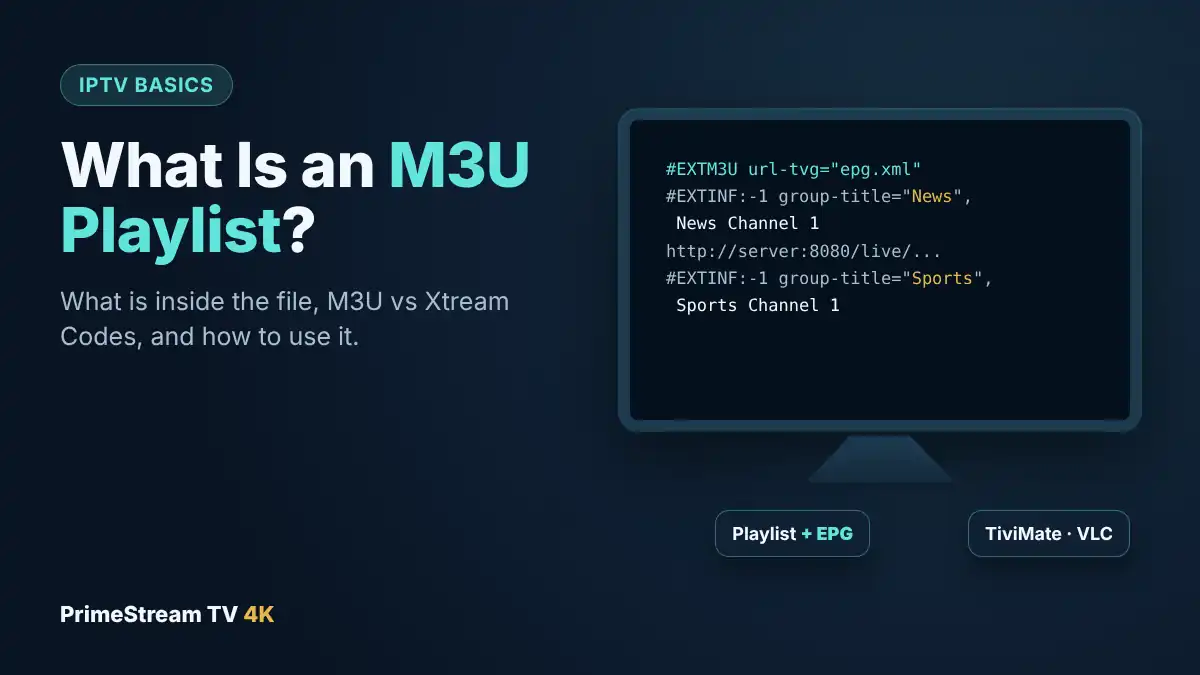
Open an IPTV M3U playlist in a text editor and you will see a header line, then two lines for each channel. Here is a simplified example with made-up addresses:
#EXTM3U url-tvg="http://example.com/epg.xml"
#EXTINF:-1 tvg-id="news1.us" tvg-logo="http://example.com/news1.png" group-title="News",News Channel 1
http://example.com:8080/live/username/password/1001.ts
#EXTINF:-1 tvg-id="sports1.us" tvg-logo="http://example.com/sports1.png" group-title="Sports",Sports Channel 1
http://example.com:8080/live/username/password/1002.ts
| Part | What it does |
|---|---|
| #EXTM3U | Marks the file as an extended M3U file. It can also include the TV guide link (url-tvg). |
| #EXTINF:-1 | Starts the information for one channel. -1 means a live stream with no fixed length. |
| tvg-id | Matches the channel to its listings in the TV guide. |
| tvg-logo | The address of the channel logo the player shows. |
| group-title | The category, such as News, Sports or Kids, used to group channels. |
| Text after the comma | The channel name you see in the list. |
| The URL line | The actual stream address the player opens. |
You will also see the term M3U8. It is the same format saved with UTF-8 text encoding, which handles accented and non-English channel names correctly. M3U8 is also the playlist format used by HLS streaming. For an IPTV subscription, players treat M3U and M3U8 links the same way.
Notice that the stream addresses contain a username and password. That is why the link should be treated like a password, as we explain below.
3. M3U Playlist vs Xtream Codes
Most IPTV providers, including us, give you two ways to log in: an M3U link and Xtream Codes details (server, username and password). Both reach the same subscription. The difference is in what the player can do with them:
| Feature | M3U playlist | Xtream Codes |
|---|---|---|
| Live channels | Yes | Yes |
| TV guide (EPG) | Needs a separate EPG link in many players | Loads automatically |
| Movies and series library | Often shown as long flat lists, or missing | Organized with posters and seasons |
| Catch-up | Limited | Supported in many players |
| Typing with a remote | One long link | Three shorter fields |
| Works in | Almost every player, including VLC and Kodi | Most dedicated IPTV players |
Our advice: use Xtream Codes whenever your player supports it, and keep the M3U link for players that only accept M3U, such as VLC, Kodi or Smart IPTV. If you see a “failed to authorize” message with Xtream Codes, our failed to authorize fix guide covers the common causes.
4. M3U Playlists and the TV Guide (EPG)
A playlist lists channels, but not what is on them. The program listings come from a separate EPG (electronic program guide) file, usually in the XMLTV format. The tvg-id in your playlist links each channel to its listings in that file.
There are two ways the guide reaches your player:
- Automatically: some playlists include the guide address in the header (url-tvg), and some players read it on their own.
- Manually: in most players you paste the EPG link in the settings, next to the playlist. We send this link with every M3U login.
If the guide shows the wrong times, check that your device time zone is set correctly, for example Eastern or Pacific time, and adjust the EPG time offset in the player if it has one. Set the guide to update every 12 or 24 hours so listings stay current.
5. How to Use an M3U Playlist in Popular Players
Menu names change a little between versions, but the steps are similar in every app.
TiviMate (Fire TV, Android TV, Google TV)
- Open TiviMate and select Add playlist, then Enter URL.
- Paste or type the M3U link. The TiviMate Companion app or a USB keyboard saves a lot of typing.
- Select Next, name the playlist and finish.
- In Settings, open the EPG section and add the EPG link.
Full details are in our TiviMate setup guide.
IPTV Smarters Pro (Android, Fire TV)
- Choose the option to load a playlist or file/URL instead of Xtream Codes.
- Enter a playlist name, select M3U URL and paste the link.
- Select Add user and wait for the channels to load.
See our IPTV Smarters Pro guide for screenshots.
VLC (Windows, Mac, phones)
- Open VLC and choose Media, then Open Network Stream (on Mac: File, Open Network).
- Paste the M3U link and select Play.
- Open the playlist view to browse channels.
VLC is handy for checking that a link works, but it has no TV guide grid, so it is not ideal for everyday viewing.
Smart TV players (IBO Player, Smart IPTV, Hot IPTV)
Players on Samsung and LG TVs usually do not ask you to type the link. Instead, the app shows a MAC address, and the playlist is linked to it. Send us a photo of that screen on WhatsApp and we add the playlist for you; with our paid plans the player license is included. Our IPTV Smart TV guide explains each brand.
6. Tips for Large Playlists
A full IPTV M3U playlist can contain thousands of channels, which can make a small streaming stick slow. These habits keep things quick:
- Hide groups you never watch. Most players let you hide whole categories, such as countries or languages nobody in your home uses.
- Build a favorites list. Put your 20 or 30 most-watched channels in favorites and use it as your main list.
- Refresh the playlist now and then. When new channels are added, update the playlist from the player settings to see them.
- Use a capable device. If your stick struggles with a big list, our guide to the best IPTV box covers devices with more memory.
7. Keep Your M3U Link Private
Your M3U playlist link contains your username and password, often in plain sight. Anyone who has the link can use your connections, which can cause buffering or “max connections reached” errors for you.
- Do not post your link in forums, social media or group chats.
- Do not paste it into websites that offer to “check” or “convert” playlists.
- If you think it has been shared, contact our support team on WhatsApp straight away.
8. Why Free M3U Playlists Are a Bad Idea
Searches for free M3U lists lead to public playlists shared on websites and code repositories. They are tempting, but they are a poor substitute for a real service:
- They stop working quickly. Public links are often taken down or overloaded within days.
- Unknown, unlicensed content. You have no idea who runs the streams or whether they have the right to share them.
- Security risks. Sites that host free lists often push fake player downloads and pop-ups.
- No support. When a channel fails at kickoff, there is nobody to contact.
If cost is the concern, a free IPTV trial from a provider with real support is a safer way to test, and paid plans start at $14 a month.
9. M3U Playlist Not Working: Quick Fixes
| Problem | Likely cause | What to try |
|---|---|---|
| Playlist will not load | Typo in the link, or missing part | Copy the full link again, including http:// and everything after the ? |
| Channels load but do not play | Subscription expired or connections in use | Check your expiry date and close the app on other devices |
| No TV guide | EPG link not added | Add the EPG link in the player settings and update the guide |
| No movies or series | Player shows only live channels from M3U | Log in with Xtream Codes instead |
| App is slow | Very large playlist | Hide unused groups, clear cache, restart the device |
| Buffering | Weak Wi-Fi or busy network | Use Ethernet or 5 GHz Wi-Fi; plan on about 25 Mbps per 4K screen |
Still stuck? Our support team answers on WhatsApp 24/7, and if something on our side is not working, we fix it or replace your access.
10. Frequently Asked Questions
What is an M3U playlist in IPTV?
It is a text list, usually delivered as a link, that contains the stream address and name of every channel in your IPTV subscription. An IPTV player reads it and shows the channels.
How do I open an M3U playlist?
Paste the link into an IPTV player such as TiviMate, IPTV Smarters Pro or VLC. On Samsung and LG TVs, players like IBO Player link the playlist to the MAC address shown in the app.
Is M3U or Xtream Codes better?
Xtream Codes is better when your player supports it, because it loads the TV guide and the movie and series library automatically. Use M3U for players that only accept playlists, such as VLC or Kodi.
What is the difference between M3U and M3U8?
M3U8 is the same playlist format saved with UTF-8 text encoding. IPTV players treat both the same way.
Why does my M3U playlist have no TV guide?
The guide comes from a separate EPG link. Add the EPG link from your provider in the player settings, then update the guide.
Are free M3U playlists safe?
No. Public playlists usually stop working within days, often contain unlicensed content and are commonly shared alongside fake app downloads.
Can I use one playlist on several devices?
Yes, but each screen watching at the same time uses one connection on your plan. Choose a multi-device plan if several people watch at once.
Do you provide an M3U playlist with the free trial?
Yes. Our free 24-hour trial comes with an Xtream Codes login or M3U playlist link, whichever suits your player, plus setup help on WhatsApp.
11. Conclusion
An M3U playlist is the address book of your IPTV subscription: a list of channel names and stream links that any IPTV player can read. Paste it into TiviMate, IPTV Smarters Pro or VLC, add the EPG link for the TV guide, and keep the link private. When your player supports it, Xtream Codes is the easier option. Want to try it on your own device? Request your free 24-hour trial to get your login, then choose one of our IPTV plans when you are happy.