Want IPTV that works on your TV? Ask us on WhatsApp or request the free 24-hour trial. See plans from $14/month →
Ready to buy IPTV? See all IPTV plans and prices → Plans start from $14/month.
1. What to Know Before You Buy IPTV
When you buy IPTV, you are paying for a subscription that streams live TV channels and on-demand movies and series over the internet. If you are new to it, start with our guide on what IPTV is. The service itself is delivered by a provider; you watch it through a compatible app on your own device.
Two things decide whether the purchase is a good one: how well the service works on your TV and internet, and how easy it is to get help. Price matters, but a cheap plan that buffers every evening is not cheap. That is why the smartest way to buy IPTV is to test first and pay second.
2. 7-Point Checklist Before You Pay
| Check | What good looks like |
|---|---|
| Free trial | A real trial (24 hours or more) with no credit card |
| Channel list | Your must-have channels are in the published channel list |
| Clear pricing | Plans and prices shown openly on one page, no hidden fees |
| Devices | Works on your Firestick, Smart TV, Android box or phone |
| Support | A real contact channel such as WhatsApp, answered quickly |
| Terms | Readable terms and a refund policy |
| Setup help | Step-by-step setup guides for your device |
If a provider fails more than one of these checks, keep looking. Our IPTV provider guide goes deeper on what to verify, and you can also see our guide to the best IPTV options for the US.
3. Which Plan Length Should You Buy?
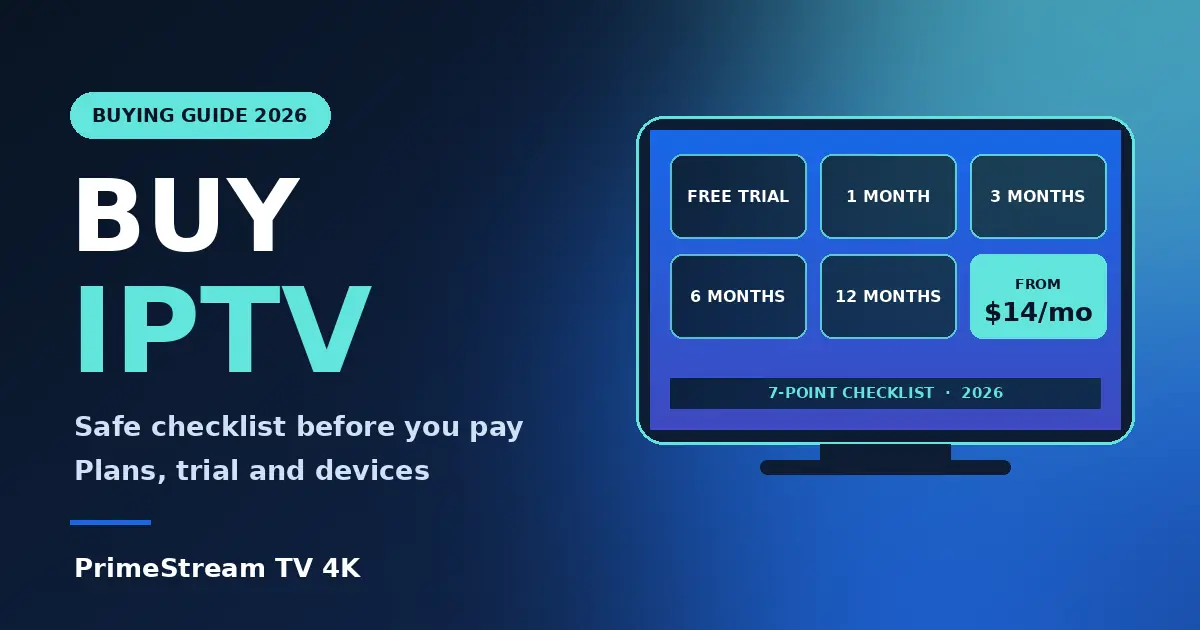
PrimeStream TV 4K offers 1, 3, 6 and 12 month plans, starting from $14/month for one device, and plans for up to 5 devices. Use this simple rule:
- 1 month: best if you want to confirm everything works at your home before committing longer.
- 3 or 6 months: a good middle ground once the trial went well and you plan to keep watching.
- 12 months: best if you already know it suits your household and want the longest plan.
Count how many screens are used at the same time at home. One TV needs one device; a family with a TV, a phone and a bedroom set may need more. Compare all options on the IPTV plans and prices page, and read the complete IPTV subscription guide for more detail.
4. Check Your Device First
Before you buy IPTV, make sure your device can run an IPTV player. Most buyers use one of these:
- Amazon Fire TV Stick: see IPTV on Firestick.
- Samsung or LG Smart TV: see IPTV on Smart TV and IPTV on LG TV.
- Roku: support varies by model, so read IPTV on Roku first.
- Android TV boxes: compare options in our best IPTV box guide.
For 4K picture, you also need a 4K screen and about 25 Mbps of internet; our IPTV 4K guide lists everything. To pick an app, see the best IPTV player comparison.
5. How to Buy IPTV in 5 Steps
- Request the free trial. Go to the free IPTV trial page. It runs for 24 hours on one device, with no credit card.
- Test your real use. Follow our 24-hour trial checklist: your channels, your sport, your evening peak hours.
- Choose a plan. Open the plans page and pick the length and number of devices you need.
- Get your login details. After you order, you receive what you need to activate your player app.
- Set up and watch. Follow the guide for your device on the setup guides page. If you get stuck, contact support on WhatsApp.
6. Red Flags When You Buy IPTV
- No trial and no support contact. You cannot test it and nobody answers if it fails.
- Prices that look impossibly low. Extremely cheap lifetime offers are a common warning sign.
- Pressure to pay immediately. A real provider lets you test first.
- Unclear terms. If you cannot find a refund policy or terms, ask before paying.
- Anonymous sellers. Be careful with random social media or marketplace sellers.
Also check the legal side in your country; our IPTV legality guide explains what to look at.
Not sure yet? Request the free 24-hour test by form and try it on your own device tonight.
7. Frequently Asked Questions
How much does it cost to buy IPTV?
PrimeStream TV 4K plans start from $14/month for one device. Longer plans (3, 6 and 12 months) and plans for up to 5 devices are listed on the plans page.
Can I try IPTV before I buy?
Yes. You can request a free 24-hour trial on one device, and no credit card is needed.
Which plan length is best?
Start with the free trial. If it works well at home, a longer plan usually gives better value than paying month to month.
What devices work with an IPTV subscription?
Fire TV Stick, Android TV and boxes, Samsung and LG Smart TVs, phones and tablets, and other devices that can run an IPTV player app. Check the setup guide for your model.
How many devices can I use?
Plans cover from one device up to 5 devices. Choose based on how many screens you use at the same time.
How do I get help after I buy?
Contact support on WhatsApp at +447456041345 or use the support page.
8. Conclusion
The safest way to buy IPTV is simple: test with a free trial, check the channels and devices, choose the plan length that fits you, and make sure support is easy to reach. Start your free 24-hour trial, then open the IPTV plans and prices page to subscribe. You can also read what a full IPTV service includes or see the best IPTV overview and our IPTV USA guide before you decide. Paying for live TV streaming today? See our YouTube TV alternatives comparison with dated prices.
Ready to start? Message us on WhatsApp and we help you pick the right plan and set it up.