1. What Is IPTV, and Why Is It Growing So Fast?
IPTV (Internet Protocol Television) delivers live TV channels and on-demand content over your internet connection instead of a satellite dish, aerial or cable box. For the full technical breakdown, see our guide on what IPTV is. This section focuses on the “why”: why the best IPTV services are pulling viewers away from traditional pay-TV faster than ever in 2026.
The answer is cost, flexibility and channel choice. A traditional cable or satellite bundle usually locks you into a long contract, requires an engineer visit, and charges extra for sports or international packages. The best IPTV services remove all three frictions: no long contract, no engineer, and one flat plan that already includes sport, movies, news and international channels together. Viewers also want to watch on their own schedule across multiple devices — a phone on the commute, a Smart TV at home — which is exactly how IPTV is built to work.
None of this means every IPTV service is equally good. Quality, channel stability and support vary enormously between providers, which is why the rest of this guide focuses on what actually separates the best IPTV services from the rest.
2. Channel Categories the Best IPTV Services Offer
The number people search for is simple — “how many channels” — but the categories matter more than the raw count. A genuinely complete IPTV service covers all of the following:
- Live sports — football, and other major leagues and events, often in HD and 4K RAW quality.
- Movies & series (VOD) — a large on-demand library you can browse any time, not just at broadcast time.
- News & documentaries — rolling news plus science, nature and current-affairs channels.
- Kids & family — dedicated children’s programming alongside the main channel line-up.
- Music & entertainment — music channels and lifestyle/reality programming.
- General live television — the broad entertainment channels that fill out day-to-day viewing.
The best IPTV services combine all 6 of these categories inside 55,000+ live channels and 190,000 movies and series, rather than being strong in sport but thin everywhere else. See our full channels page for the complete breakdown, and always confirm your specific must-watch channels during a trial before you commit to a full plan.
3. Compatible Devices: 6 Screens You Already Own
One real advantage over cable is that the best IPTV services run on hardware you probably already own — no engineer visit, no proprietary box required:
- Amazon Firestick / Fire TV — the most popular option; see our TiviMate setup guide.
- Android TV boxes, phones & tablets — via IPTV Smarters Pro or XCIPTV Player.
- Samsung & LG Smart TVs — using the built-in Smart IPTV app.
- MAG & Formuler boxes — dedicated set-top boxes; see our IBO Player or MYTVOnline setup guide.
- Apple devices — iPhone, iPad and Apple TV via compatible player apps.
- Windows & Mac computers — via desktop IPTV player software.
Most plans let you activate more than one of these devices at once — check the device limit on each plan on our Plans page before you subscribe.
4. 5 Steps to Get Started With the Best IPTV Service
- Pick your device from the compatibility list above.
- Choose a plan on our Plans page, matching device count and duration to your household.
- Install the matching player app using our setup guides.
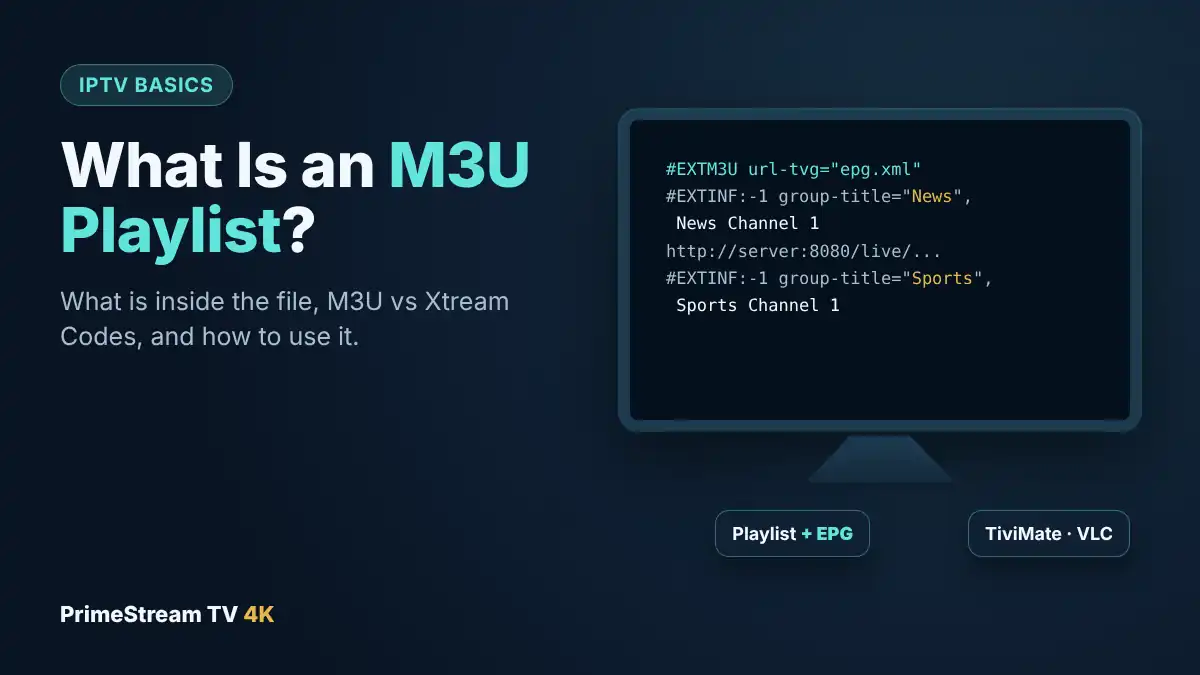
- Enter your login details (M3U playlist URL or Xtream Codes username/password) exactly as supplied after signup.
- Test everything with a free trial first — start our free trial to confirm channels, VOD and picture quality on your own connection before committing to a full subscription.
5. Advanced Tips for the Smoothest Experience
- Use a wired Ethernet connection where possible — more stable than Wi-Fi for HD/4K streaming, especially during peak-time sport.
- Pick the right device — our best IPTV box guide compares Google TV, Fire TV, NVIDIA Shield and Formuler for live TV.
- Match your plan length to how sure you are. A monthly plan costs more per month than an annual one, but it’s the lower-commitment way to properly test a service first.
- Set up the EPG (program guide) so live TV feels like a normal channel guide instead of blind channel-surfing.
- Save your login details somewhere safe — most services can reissue them, but it’s faster to switch devices with them on hand.
- Restart your router and app periodically to clear cached connections and avoid slow channel loading.
- Compare a few options before you commit — read our IPTV provider checklist for the 7 things worth checking beyond the marketing page.
6. Common IPTV Problems and How to Fix Them
- Buffering during peak hours — usually a bandwidth issue; switch to a wired connection or a lower-bitrate stream.
- “Subscription expired” message despite an active plan — double-check your device’s date/time settings, a common cause of false expiry errors.
- App won’t load channels after renewal — log out and back in, or reinstall the player app to refresh the connection.
- One device works but a second doesn’t — your plan may have reached its simultaneous-connection limit; check the device limit on your subscription.
- EPG not showing program info — re-enter the EPG URL in the player’s settings or reinstall the app.
7. Frequently Asked Questions
What makes one IPTV service better than another?
The best IPTV services combine a large, stable channel library across every category, wide device support, transparent pricing, responsive support, and — most importantly — a real free trial so you can test everything before paying.
How many channels does a good IPTV service need?
There’s no single magic number, but 50,000+ live channels across sport, movies, news, kids and entertainment is a realistic benchmark for a genuinely complete service. See our channels page for the full category breakdown.
Can I try an IPTV service before paying?
Yes — a reputable service offers a short free trial. Start our free trial to test channels, VOD and stability on your own connection before subscribing.
What devices work with IPTV?
Firestick/Fire TV, Android TV boxes and phones, Samsung/LG Smart TVs, MAG and Formuler boxes, Apple devices, and Windows/Mac computers. See our setup guides for device-specific walkthroughs.
Is IPTV better than cable or satellite?
For most viewers, yes — lower cost, no long contract, no engineer visit, and a channel line-up plus VOD library that runs on devices you already own. Read our full IPTV vs Cable TV comparison for the detailed breakdown.
8. Conclusion: Is Switching to IPTV Worth It?
For most households, yes. The best IPTV services now match or beat traditional pay-TV on channel choice, cost and flexibility, while running on the devices you already own. The only real risk is picking a weak service — which is exactly why every step in this guide points back to the same idea: check the channel categories, confirm your device is supported, follow the 5 setup steps, and always test with a free trial before you commit to a full plan.
Ready to see it for yourself? Start a free 24-hour trial and compare PrimeStream TV 4K against everything in this guide, or head to our homepage to explore current plans and channels. Prefer a plain-English breakdown of what an IPTV service includes and costs? Read our IPTV service guide.