By David, PrimeStream TV 4K.
Published: November 18, 2026 · Last updated: November 18, 2026
Key takeaways
- The EPG is not part of the channel list. Channels come from the playlist; the schedule comes from a separate guide file. A channel can play while its guide stays empty.
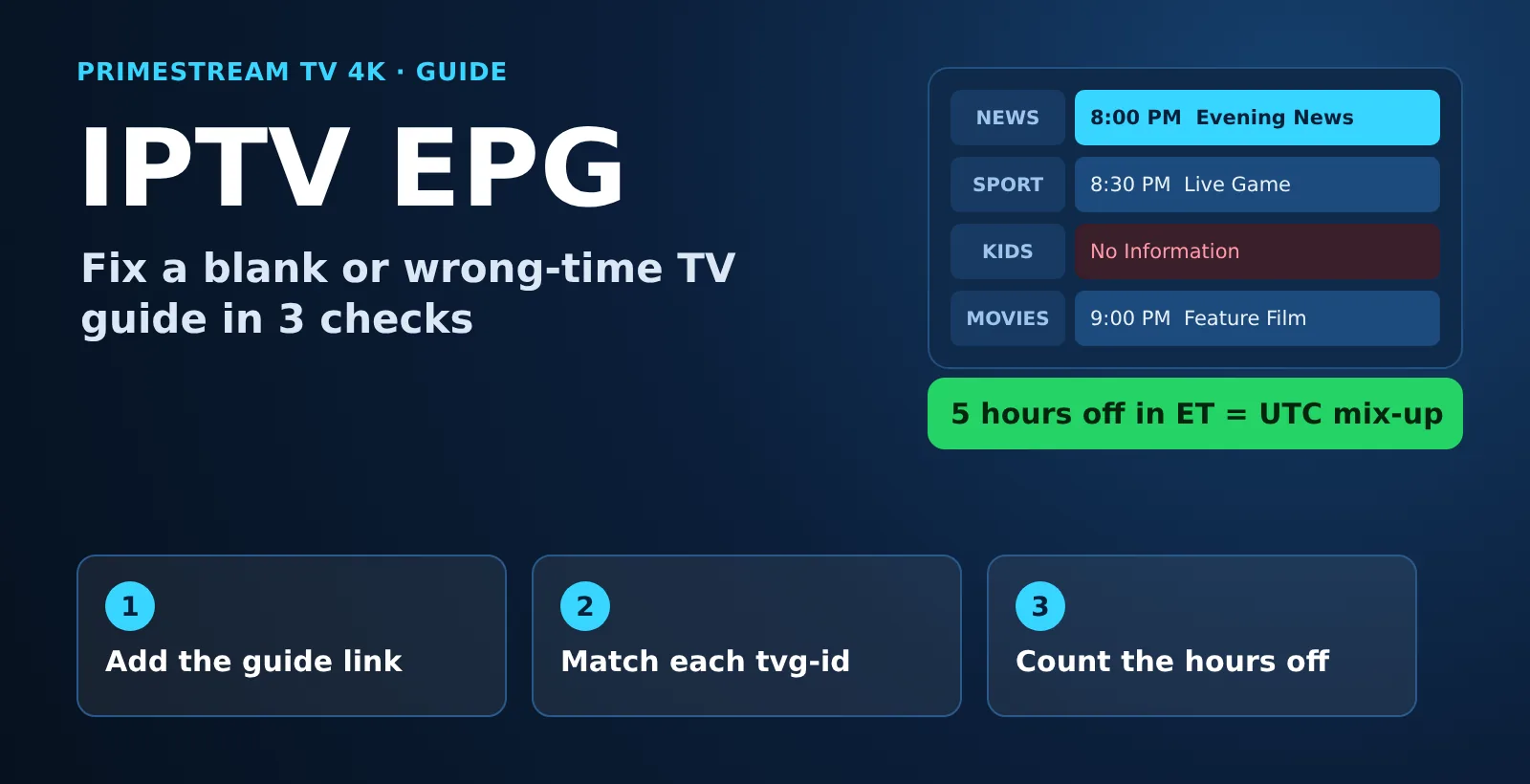
- tvg-id is the glue. Each channel in the playlist carries an id, and the guide file must use the same id, or the player shows “No Information”.
- Count the hours. A guide off by your zone’s full UTC offset (5 in Eastern, 8 in Pacific this winter) is a UTC mix-up. A guide that moved by exactly 1 hour on November 1, 2026 is ignoring the clock change.
- Xtream Codes loads the guide on its own. With an M3U link you usually paste a separate guide link in the player settings.
- Check the guide before you pay. Browse it on your own TV during a free 24-hour IPTV trial and compare it with what is on screen.
1. What Is EPG in IPTV?
EPG stands for electronic program guide. An IPTV EPG is the on-screen TV guide that shows what is on now, what comes next and, on supported channels, what you can replay with catch-up.
The key point: the guide and the channels are two different things. Your M3U playlist tells the player which channels exist and where each stream lives. The EPG is a schedule file, usually in the XMLTV format, that lists program titles with start and stop times. The player joins the two.
- EPG meaning on a TV: the grid or “now and next” bar you open with the guide button.
- EPG for IPTV: the same grid, filled from a guide link instead of a cable box.
- IPTV with EPG: a playlist plus a guide file whose channel ids match it.
2. IPTV EPG Time Zone Decoder: Why the Guide Is Off by Hours
None of the top five Google results for “iptv epg” we reviewed on November 18, 2026 turns “the times are wrong” into a number you can check. They say “check your time zone” and stop. So we built a decoder for US viewers.
Question: if the guide is off by a whole number of hours, what is the likely cause? Method: XMLTV times carry a UTC offset, and a time with no offset counts as UTC under the format rules. We took the official UTC offset of every US time zone in standard time and in daylight saving time, then listed the error you see when a player or a file mixes up UTC and local time. Rule: a shift that equals your zone’s offset points to a UTC mix-up; a shift of exactly 1 hour that starts on a clock-change date points to daylight saving time not being applied.
Offsets and dates checked November 18, 2026. Daylight saving time in 2026 ran from March 8 to November 1; in 2027 it starts March 14 and ends November 7.
| Your time zone | UTC offset now (Nov 1, 2026 to Mar 13, 2027) | UTC offset in daylight time (from Mar 14, 2027) | Guide off by this many hours now = UTC mix-up | Same error in daylight time | Can a 1-hour clock-change error happen? |
|---|---|---|---|---|---|
| Eastern | UTC−5 | UTC−4 | 5 | 4 | Yes |
| Central | UTC−6 | UTC−5 | 6 | 5 | Yes |
| Mountain | UTC−7 | UTC−6 | 7 | 6 | Yes |
| Arizona (most of the state) | UTC−7 | UTC−7 | 7 | 7 | Only if the device is set to Mountain Time with daylight saving |
| Pacific | UTC−8 | UTC−7 | 8 | 7 | Yes |
| Alaska | UTC−9 | UTC−8 | 9 | 8 | Yes |
| Hawaii | UTC−10 | UTC−10 | 10 | 10 | No, Hawaii does not change clocks |
Other shift sizes have their own cause:
| How far off the guide is | Most likely cause | What to do |
|---|---|---|
| Your zone’s full UTC offset (see table above) | The file and the player disagree about UTC | Set the device time zone to automatic, set the player’s EPG time offset to 0, update the guide |
| Exactly 1 hour, starting on a clock-change date | A fixed manual offset, or a guide that does not follow daylight saving time | Remove the manual offset, turn on automatic date and time, update the guide |
| 1 to 3 hours (the gap between two US zones) | Device set to the wrong US zone, for example Eastern on a TV in California | Fix the time zone in the device settings, not in the player |
| Not a whole hour (for example 10 or 30 minutes) | Not a time zone issue; a late schedule or a wrong channel match | Check the channel’s tvg-id, then report the channel to your provider |
The finding: in November 2026, an IPTV guide that is off by exactly 5 hours in Eastern Time, 6 in Central, 7 in Mountain or 8 in Pacific is mixing up UTC and local time; a guide that moved by exactly 1 hour on November 1, 2026 is ignoring the clock change.
Limits: this is arithmetic on official time zone offsets, not a test of any player. It points to the likely cause; some players and guide files behave differently, and a whole-hour shift can still have another cause. Fix the device time zone first, then the player offset.
3. How Does an IPTV EPG Work?
Three pieces make an IPTV EPG work, and the guide fails when one of them is missing:
- The playlist lists each channel with a tvg-id, for example
tvg-id="news1.us". - The guide file (XMLTV) lists programs for each channel id with a start time, a stop time and a UTC offset.
- The player matches the ids, converts every time to your device’s time zone and draws the grid.
Here is what one program looks like inside an XMLTV guide file (made-up channel):
<channel id="news1.us"><display-name>News Channel 1</display-name></channel>
<programme start="20261119010000 +0000" stop="20261119020000 +0000" channel="news1.us">
  <title>Evening News</title>
</programme>
Read the start time as year, month, day, hour, minute, second, then the offset: 01:00 UTC on November 19, 2026. On a TV set to Eastern Time that is 8:00 PM on November 18, and on a TV set to Pacific Time it is 5:00 PM. If a player ignored the +0000 and showed 1:00 AM, the guide would be 5 hours off in Eastern Time, exactly as the decoder predicts.
4. How to Get EPG Working on IPTV
Menu names change between players, but the steps to set up an IPTV EPG are the same:
- Use Xtream Codes if your player supports it. An Xtream Codes login loads channels, the guide and the movie library from one login, so there is no guide link to paste.
- With an M3U link, find the guide link. It usually ends in
.xmlor.xml.gz. Some playlists carry it in the first line asurl-tvg, and many players read it on their own. - Add the guide link. Open Settings, then EPG or TV Guide, choose Add source and paste the link.
- Set the update interval to 12 or 24 hours so the listings do not run out.
- Check date and time on the device. Turn on automatic date, time and time zone, and set the player’s EPG time offset to 0.
- Update the guide and test three channels: a news channel, a sports channel and a kids channel. Compare the guide with what is on screen.
On a stick, follow the screens in our guide to IPTV on Firestick. On a Smart TV player that shows a MAC address, the playlist and guide are linked to that address; our IPTV on Smart TV guide explains each brand.
5. Why Isn’t My IPTV EPG Guide Loading?
Match what you see to the first column. Most cases of an IPTV EPG not working fall into one of these rows:
| Symptom | Likely cause | Fix |
|---|---|---|
| “No Information” on every channel | Guide link missing, mistyped or not downloaded yet | Paste the link again, run Update EPG and wait for the first download to finish |
| Guide on some channels, empty on others | The playlist’s tvg-id has no match in the guide file | Use your provider’s own guide link; report the empty channels |
| Wrong show listed on a channel | The channel is matched to another channel’s id | Re-match the channel manually if your player allows it, or report it |
| Times off by whole hours | Time zone mix-up | Use the decoder table above |
| Off by exactly 1 hour since November 1 | Daylight saving time not applied, or a fixed offset | Automatic time zone on, EPG offset back to 0 |
| Listings stop after a day or two | The guide is not refreshing | Set updates every 12 or 24 hours and check the device date |
| Guide loads slowly or the app freezes | A very large guide on a small streaming stick | Hide channel groups you never watch, clear the app cache, restart |
| Guide is right but no catch-up | Catch-up works only on supported channels | Look for the catch-up mark next to the channel in the guide |
If channels themselves do not play, the guide is not the problem; start with our IPTV not working fixes.
6. Next Step
If the guide is still empty on every channel after these checks, the guide link itself is usually the cause, and only the provider can fix it. You can see how a full guide with catch-up loads on your own TV with our free 24-hour IPTV trial, which comes with an Xtream Codes login or an M3U link and setup help on WhatsApp.
7. IPTV EPG URL and EPG Sources: What to Use
An IPTV EPG URL (or XMLTV EPG URL) is simply the web address of the guide file. Start with the one your provider gives you: it is built for the same channel ids as your playlist, so the match works without manual mapping.
Free community guide files also exist. They can fill gaps, but keep three limits in mind:
- Ids rarely match a paid playlist one to one, so many channels stay blank until you map them by hand.
- Coverage of US local stations is uneven, and listings can change or disappear without notice.
- Never paste your playlist link into a website that offers to build or “fix” a guide. The link contains your username and password.
8. Which IPTV Service Has the Best EPG?
There is no single answer, because an IPTV EPG is only good if it covers the channels you watch. Judge any service, ours included, on these five points during a test:
- Coverage: your must-have channels show listings. Compare with the IPTV channel list categories.
- Correct times: the guide matches the screen in your own time zone.
- Days ahead: listings run several days forward, not just a few hours.
- Daily updates: the schedule refreshes without you doing anything.
- Catch-up marks: supported channels show which programs you can replay.
The player matters too. A good one gives you a grid view, an EPG time offset setting and manual channel matching; compare options in our best IPTV player guide.
9. How We Prepared This Guide
- Questions: headings follow Google autocomplete and People Also Ask for “iptv epg”, collected November 18, 2026.
- Competitor review: the top five organic Google results for “iptv epg” (USA), read November 18, 2026. None listed US time zone offsets or clock-change dates.
- Time zone offsets: calculated from the IANA time zone database for each US zone on November 18, 2026 and July 1, 2026.
- Daylight saving time dates: NIST daylight saving time rules (second Sunday of March to first Sunday of November).
- Guide format: the XMLTV format documentation; times without an offset are treated as UTC.
- Our service facts: our free trial and plans pages, November 18, 2026. Search demand: DataForSEO, Google Ads volumes for the USA, October 2026 (“iptv epg”: 720 searches a month).
- Testing: we did not test any player for this guide; the decoder is arithmetic on official offsets.
10. IPTV EPG: FAQ
What does EPG mean on a TV?
EPG means electronic program guide. It is the on-screen TV guide that shows what is on now and next. In IPTV it is filled from a separate guide file, usually in the XMLTV format, that your player matches to each channel.
Why is my IPTV guide off by several hours?
A guide off by your time zone’s full UTC offset means UTC and local time are mixed up: 5 hours in Eastern, 6 in Central, 7 in Mountain or 8 in Pacific Time in November 2026. Set the device time zone to automatic, set the EPG offset to 0 and update the guide.
Why is my IPTV guide off by exactly one hour?
If the shift started on a clock-change date such as November 1, 2026, daylight saving time is not being applied or a fixed manual offset is set. Turn on automatic date and time, reset the player’s EPG offset to 0 and update the guide.
Why do some channels show No Information?
The channel’s tvg-id in the playlist has no matching id in the guide file, or the guide has no listings for that channel. Use your provider’s own guide link and report the empty channels.
Does your free trial include the TV guide?
Yes. Our free 24-hour trial is the same service paying customers get and lists the full TV guide (EPG) and catch-up on supported channels. It works with Xtream Codes, M3U or MAG, needs no credit card and includes setup help on WhatsApp.
How much does IPTV with an EPG cost?
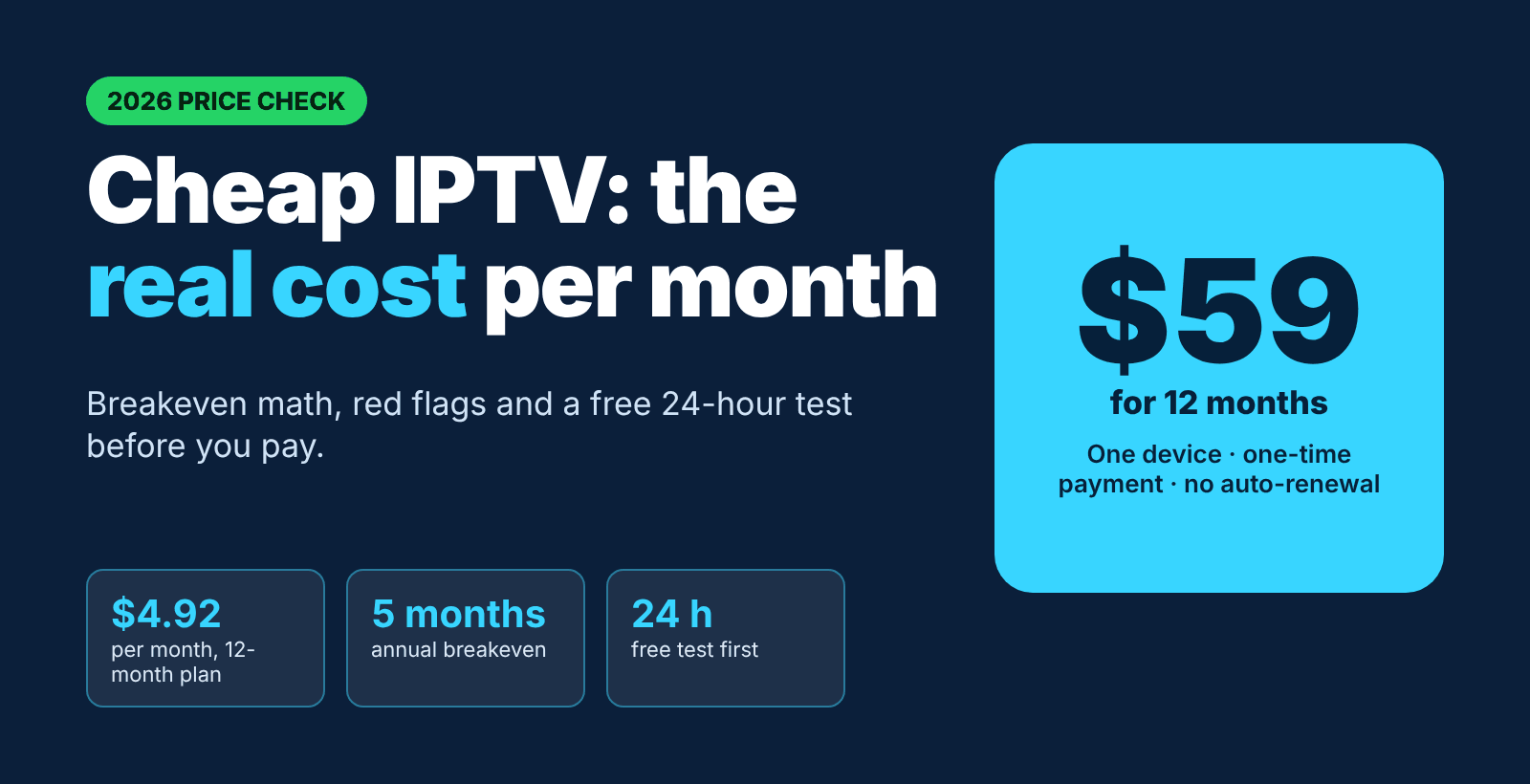
Our plans for one device cost $14 for 1 month, $30 for 3 months, $40 for 6 months or $59 for 12 months. Every plan includes the same content, and each plan is a one-time payment with no auto-renewal.
11. Related Guides
- What an M3U playlist is and how tvg-id works
- Xtream Codes explained
- IPTV support and quick fixes
- IPTV plans and prices
Conclusion
An IPTV EPG fails in three ways: no guide link, ids that do not match, or a time zone mix-up. Add the link, let the ids match, and when the times are off, count the hours and use the decoder. Then check the guide on your own TV with the free 24-hour trial, and if you want to keep it, plans start at $14 for one month on our IPTV plans page.
Start your free 24h trial
No credit card. We reply with your trial login.