1. Is IPTV Smarters Available on Samsung TV?
IPTV Smarters Pro is one of the best-known IPTV players, so it is natural to look for it on a Samsung smart TV. The honest answer is that it depends on your TV. Samsung TVs run Samsung’s own operating system, Tizen, and you can only install apps that Samsung lists in its store for your model and region.
Over the past few years, Smarters apps have appeared and disappeared from the Samsung store. Owners in the Samsung community forums have reported finding the app on an older Samsung TV but not on a newer model in the same home. Samsung does not publish a list of which models get which IPTV apps, so the only reliable test is to search the store on your own TV.
The good news: you do not need Smarters specifically. Your IPTV subscription is not tied to one app. The same login works in several players that are in the Samsung store today, and we help you set up whichever one your TV supports. If you want the full picture of the Smarters app itself, read our IPTV Smarters Pro guide.
2. Check Your Samsung TV First
Before you start, take one minute to check two things:
- Is it a smart TV with Tizen? If your Samsung has a Smart Hub home screen with an Apps section, it runs Tizen. Very old Samsung TVs (before about 2015) use an older system and have very few IPTV options.
- Which model year is it? The model number on the back label or in Settings, Support, About This TV includes a letter for the year. For example, in a model such as QN65Q70D, the letter after the series number shows the year: R = 2019, T = 2020, A = 2021, B = 2022, C = 2023, D = 2024 and F = 2025.
Older and newer Samsung models often see different app lists, so knowing the year helps you understand why a friend’s Samsung shows an app yours does not. Also make sure the TV software is up to date: Settings, Support, Software Update, Update Now.
3. How to Install IPTV Smarters on Samsung TV
If a Smarters app is listed for your TV, installation takes two minutes:
- Press the Home button on your Samsung remote to open Smart Hub.
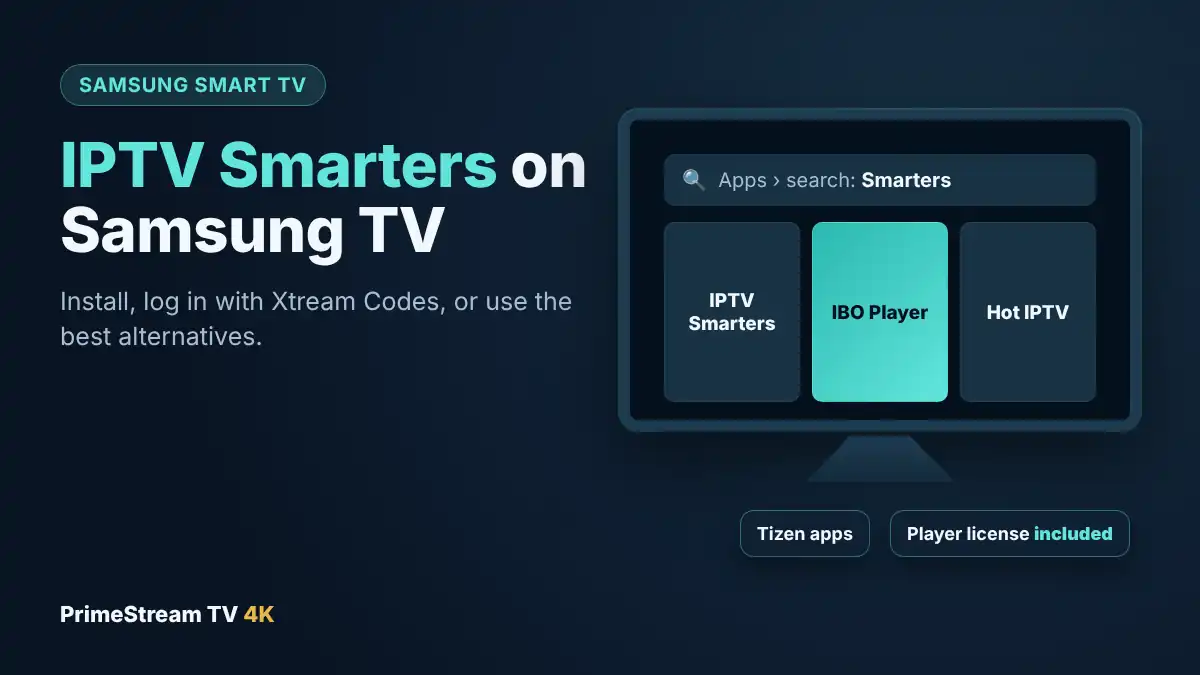
- Go to Apps and select the search (magnifying glass) icon.
- Type “Smarters” and look for an IPTV Smarters player from the official developer. Check the screenshots and developer name before you install.
- Select Install, then Open. You can also choose Add to Home so it sits on your home bar.
If no Smarters app appears, your model does not have it. Skip to the alternatives below: they take the same few minutes and work just as well with your subscription.
4. How to Log In With Your Xtream Codes Details
When you open IPTV Smarters on a Samsung TV for the first time, choose the option to log in with Xtream Codes API. You will see four fields:
| Field | What to enter |
|---|---|
| Name | Any name you like, for example “PrimeStream” |
| Username | The username we sent you (case-sensitive) |
| Password | The password we sent you (case-sensitive) |
| Server URL | The full address, including http:// and the port number if one is given |
Select Add user or Log in. The app downloads your channels, movies and series and the TV guide, which can take a minute the first time. Then open Live TV, pick a category and start a channel.
Tip: typing a server address with a TV remote is slow. Plug a USB keyboard into the TV, or use the SmartThings app on your phone as a remote keyboard. If you see “failed to authorize”, one detail is usually typed wrong; our failed to authorize fix guide lists every cause.
5. Smarters Not in the Samsung Store? Your Options
This is common on newer Samsung TVs. Here are the three options we recommend, in order:
| Option | Extra cost | Setup time | Best for |
|---|---|---|---|
| IBO Player (Samsung store) | None with our paid plans | About 5 minutes | Most Samsung owners |
| Hot IPTV or Smart IPTV (Samsung store) | None with our paid plans | About 5 minutes | If IBO Player is not listed, or for older TVs |
| Fire TV Stick with IPTV Smarters Pro | A streaming stick | About 15 minutes | If you want the Smarters layout, or TiviMate |
All three work with the same subscription, so you can switch later without changing your plan.
6. Alternative 1: IBO Player on Samsung
IBO Player is the player we recommend most often for Samsung TVs. It is in the Samsung Apps store, it handles live TV, movies and series, and it has a clear TV guide. Instead of typing a server address, you send us a code shown on the screen.
- Open Apps, search for “IBO Player” and install it.
- Open the app. It shows a MAC address and a device key.
- Take a photo of that screen and send it to us on WhatsApp.
- We add your subscription to the app. Close IBO Player, open it again, and your channels appear.
IBO Player asks for a paid activation after its trial period. With our paid plans the player license is included, so we activate it for you at no extra cost. Our IBO Player setup guide shows each screen.
7. Alternative 2: Hot IPTV or Smart IPTV
If IBO Player is not available on your model, two other players in the Samsung store work the same way:
- Hot IPTV: a modern interface with live TV, movies and series, and MAC-address activation. The player license is included with our paid plans.
- Smart IPTV: one of the oldest smart TV players, useful on older Samsung models. It uses an M3U playlist linked to the TV’s MAC address and has no separate movie and series library. See our Smart IPTV guide for Samsung and LG.
For a side-by-side look at every option, including what works on LG, Roku and Apple TV, read our best IPTV player comparison.
8. Alternative 3: Fire TV Stick With IPTV Smarters Pro
If you specifically want the Smarters layout, or a cable-style guide with TiviMate, a streaming stick is the most reliable route. Plug a Fire TV Stick or Google TV Streamer into a free HDMI port on your Samsung, switch the input, and install IPTV Smarters Pro from the Amazon Appstore or Google Play. Then log in with the same Xtream Codes details shown above.
This also gives you faster menus and app updates than many TV-based apps. Our IPTV on Firestick guide covers the setup, and our guide to the best IPTV box explains which stick to buy, including newer Fire TV Sticks with Vega OS that cannot install most IPTV players.
9. Workarounds We Do Not Recommend
- Tizen developer mode sideloading. Samsung’s developer mode is meant for app makers testing their own apps with a computer and Samsung’s development tools. It is complicated, the app does not update itself, and it is not something we recommend for a family TV.
- Changing the Smart Hub region. Some guides suggest switching the TV to another country to reveal different apps. This can reset your Smart Hub settings and other apps, and it is not supported by Samsung.
- Unofficial download sites. Never install a Smarters file from a site that is not the official developer. Copies from unknown sources are a common way to spread malware.
Using IBO Player or a streaming stick avoids all of these problems in a few minutes.
10. IPTV Smarters on Samsung TV Not Working: Quick Fixes
| Problem | Likely cause | What to try |
|---|---|---|
| App not found in the store | Not listed for your model or region | Use IBO Player or Hot IPTV, or a Fire TV Stick |
| “Failed to authorize” | A detail typed wrong, or expired line | Re-enter the URL with http:// and the port, check username and password |
| App disappeared after an update | Removed from the store for your model | Switch to IBO Player; your subscription stays the same |
| Buffering in the evening | Weak Wi-Fi or busy network | Use an Ethernet cable or 5 GHz Wi-Fi, restart the TV and router |
| Empty TV guide | EPG still loading | Wait a few minutes, then refresh the guide or reopen the app |
| Sound but no picture | Channel format the TV app cannot decode | Try another channel; if it is common, use a streaming stick |
For 4K channels, plan on about 25 Mbps per screen, and 10 to 15 Mbps for HD. If you are still stuck, our support team answers on WhatsApp 24/7: send a photo of the screen and your TV model number.
11. Frequently Asked Questions
Can I get IPTV Smarters on Samsung TV?
Sometimes. Some Samsung models still find a Smarters app in the Samsung Apps store, but many newer TVs do not. Search the store on your own TV; if it is not there, use IBO Player, Hot IPTV or a Fire TV Stick instead.
Why can’t I find IPTV Smarters on my Samsung TV?
Samsung only shows apps listed for your model and region, and Smarters apps have been added and removed over the years. Newer models are the most likely to be missing it.
What is the best alternative to IPTV Smarters on Samsung?
IBO Player is our first choice. It is in the Samsung store, supports live TV, movies and series, and the player license is included with our paid plans.
Can I sideload IPTV Smarters on a Samsung TV?
Only through Samsung’s developer mode, which needs a computer and developer tools and is meant for app makers. We do not recommend it for everyday use.
Does my IPTV login work in other apps on Samsung?
Yes. The same subscription works in IBO Player, Hot IPTV and other players. We set up whichever app your TV supports.
How do I log in to IPTV Smarters on Samsung?
Choose Login with Xtream Codes API, enter any name, your username and password, and the full server URL including http:// and the port, then select Add user.
Is a Fire TV Stick better than the Samsung app?
For many people, yes. A stick gives you IPTV Smarters Pro and TiviMate, faster menus and regular updates, while the Samsung app list varies by model.
Can I try IPTV on my Samsung TV for free?
Yes. Our free 24-hour trial works with the players available on Samsung TVs, and we help you set it up on WhatsApp.
12. Conclusion
IPTV Smarters on Samsung TV works if your model still lists the app: install it from Samsung Apps and log in with your Xtream Codes details. If it is missing, as it is on many newer Samsung TVs, do not waste time on sideloading or region tricks. IBO Player or Hot IPTV from the Samsung store, or a Fire TV Stick with IPTV Smarters Pro, gets you watching in minutes with the same subscription. Ready to try? Request your free 24-hour trial, tell us your Samsung model and we will set up the right app with you, then pick one of our IPTV plans with the player license included.