Want live TV without hunting for links? Get a free 24-hour test login with an M3U link, Xtream details and a guide link. No credit card. See plans from $14/month →
Last updated: November 6, 2026
1. What Is a Public IPTV Playlist?
A public IPTV playlist is a plain-text M3U or M3U8 file that lists the web addresses of live TV streams that are openly available. There is no account and no login. The person who publishes the list usually does not run the streams.
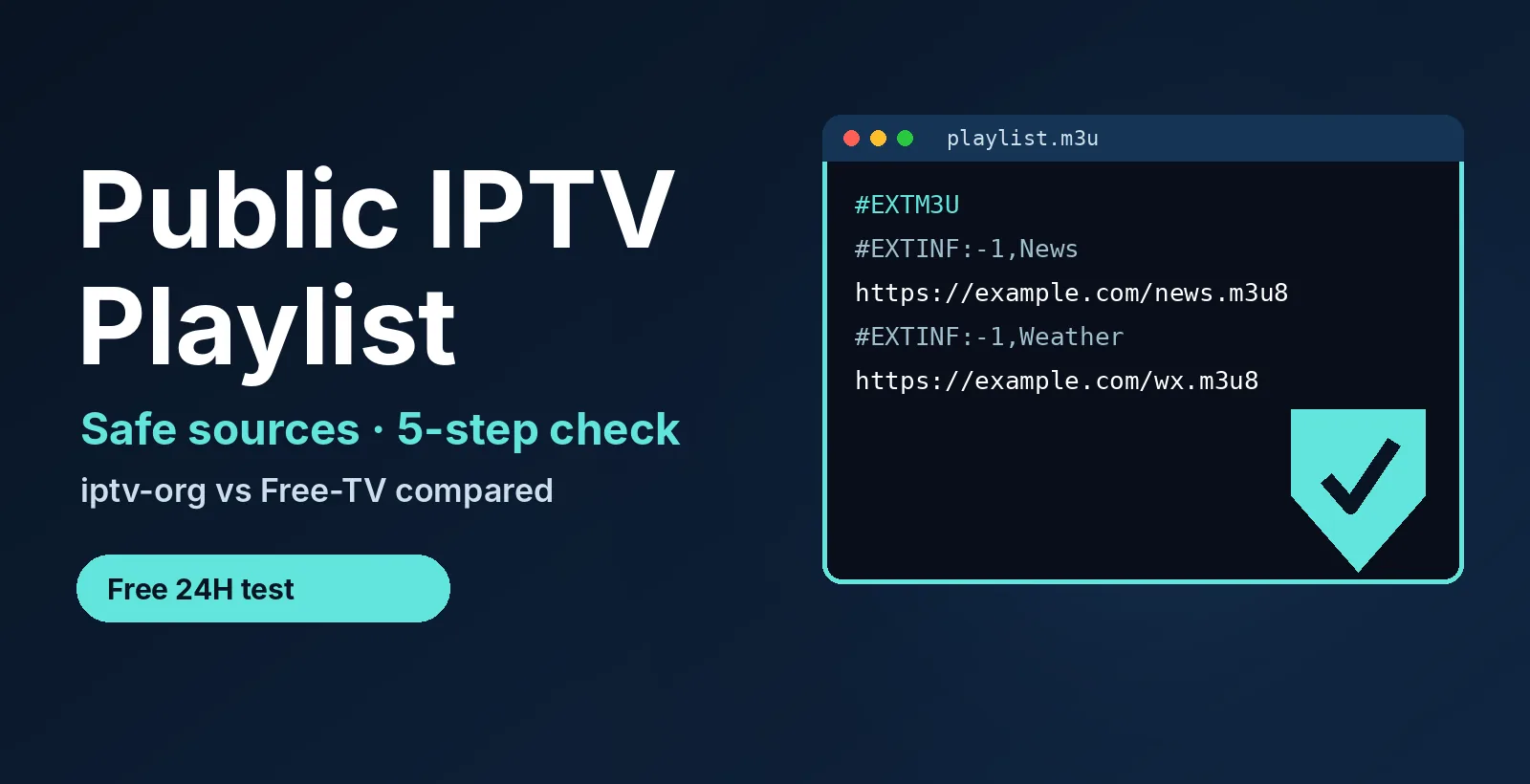
Most public lists focus on free-to-air channels, free ad-supported streaming (FAST) channels, news and regional TV. Inside the file, each channel takes two lines: an #EXTINF line with the name and group, then the stream link. A header line, #EXTM3U, starts the file.
A public list is not the same as the playlist you get with a subscription. A subscription M3U is made for your account and contains your login, so it must stay private. Our guide to the M3U playlist format covers that side.
2. Public IPTV Playlist Sources Compared: What Each Project Promises
Most pages about a free public IPTV playlist only paste links. A better question is what each source promises about its streams, because that decides your risk. This table shows what the two best-known projects say about themselves in their own README files.
| Source | What goes in | Playlist files | Labels and limits |
|---|---|---|---|
| iptv-org/iptv | User-submitted links to publicly available streams. The README says no video files are stored, and that removing a link does not remove the content from the web. | index.m3u (all channels), plus index.category.m3u, index.language.m3u, index.country.m3u and index.region.m3u. Separate files per category, language, country and region also exist. |
The widest list. Quality varies. Guide data comes from a separate project, iptv-org/epg. |
| Free-TV/IPTV | Only channels officially provided for free: over the air, plus free apps such as Plex TV, Pluto TV, Roku TV and Samsung TV Plus, and live YouTube channels. Paid, adult, religious and political channels are excluded. | One file: playlist.m3u8, built from per-country lists. At our check it covered about 87 countries and territories, including the USA. |
Marks channels: Ⓢ not HD, Ⓜ geo-blocked, Ⓨ live YouTube channel. Its stated goal is quality over quantity. |
| Official free streaming apps | Their own live channels, such as Pluto TV or Samsung TV Plus. | None. You install the app instead of loading a playlist. | The clearest licensing, but there is no M3U to load. |
Source and date: the README files of iptv-org/iptv and Free-TV/IPTV on GitHub, read on November 6, 2026. Limits: this table shows what the projects say about themselves. We did not test individual streams, and both lists change often.
File sizes on November 6, 2026: index.m3u was about 2.6 MB and index.country.m3u about 3.0 MB. The country-grouped file is the larger of the two, so on a small device such as a streaming stick, do not load it whole. Use a single per-country file from the project instead, or hide the groups you do not need. Sizes change as the lists change.
Three points follow from the table:
- Free-TV is stricter. It lists channels that are officially free and leaves out paid channels by design.
- iptv-org is wider. It lists user-submitted links to publicly available streams, so you need to check more yourself.
- Neither project hosts video. A public IPTV playlist only points to streams that someone else runs.
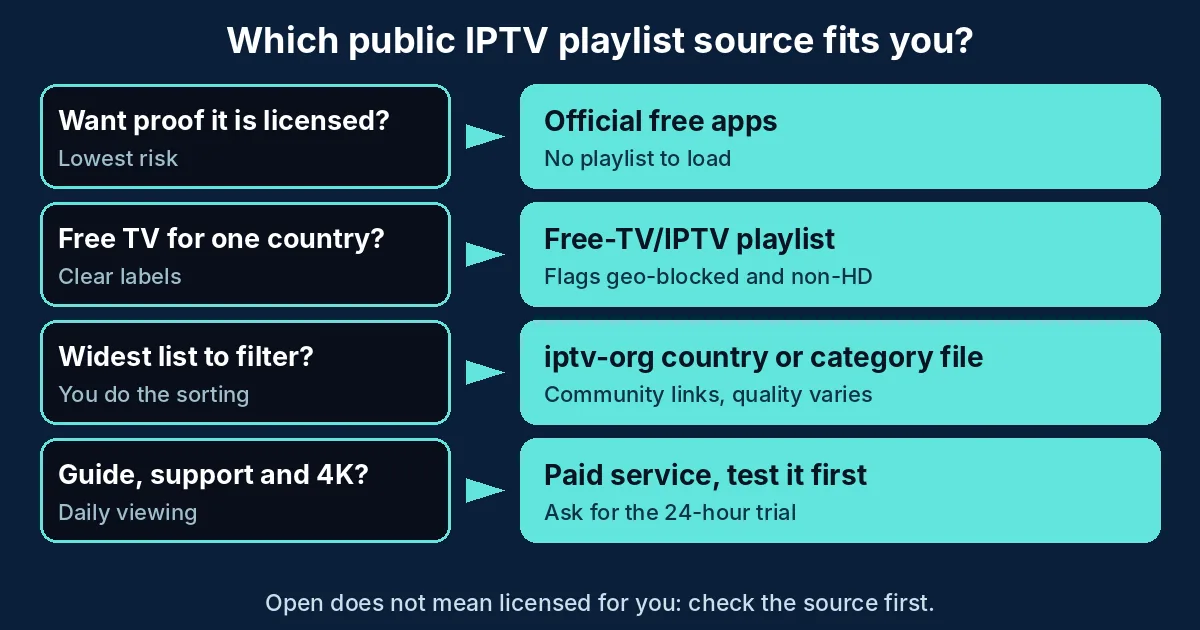
Which one should you pick? Go through this list in order:
- You want proof the content is licensed: use an official free app and skip the playlist.
- You want free channels for one country with clear labels: use the Free-TV playlist.
- You want the widest list and are happy to filter it: use an iptv-org country or category file.
- You want a guide, support and 4K for daily viewing: use a paid service, and test it first.
3. How to Load a Public IPTV Playlist URL
- Copy the direct file link. It ends in .m3u or .m3u8. Do not paste the GitHub page address, because players need the file itself. Examples:
https://iptv-org.github.io/iptv/index.m3ulists all channels,https://iptv-org.github.io/iptv/index.country.m3ugroups them by country, andhttps://raw.githubusercontent.com/Free-TV/IPTV/master/playlist.m3u8is the Free-TV playlist. - Test it in VLC first. Open VLC, choose Media, then Open Network Stream, paste the link and select Play. Press Ctrl+L to open the playlist view and pick a channel. Our IPTV on VLC guide has the full steps.
- Add it to an IPTV player for daily use. In IPTV Smarters Pro, choose the M3U URL option (see the Smarters Pro setup). Kodi users can add it to the PVR IPTV Simple Client (see IPTV on Kodi).
- Do not expect a TV guide. A playlist only lists streams. The iptv-org README points to a separate project, iptv-org/epg, for guide data, so many public lists show channels with an empty schedule.
- Trim the list. The main iptv-org index files are large (see the sizes in section 2). Hide the groups you do not need and keep a short favorites list.
4. Is a Free Public IPTV Playlist Legal and Safe?
The M3U format is legal. What matters is the stream behind each link. Publicly available does not mean licensed for you to watch in your country. Free-TV limits itself to officially free channels. iptv-org lists user-submitted links and says it stores no video files. Our IPTV legality guide explains what to check. This is general information, not legal advice.
The bigger day-to-day risk is the page around the file. Fake player downloads and pop-ups often travel with free lists. Run this 5-step check before you load any public IPTV playlist:
- Find who maintains it. A project page with an issue tracker and a legal notice beats an anonymous paste.
- Open the link as text first. A real playlist is plain text that starts with #EXTM3U. If the link downloads an .exe, .apk or .zip file, stop.
- Never enter a password, email or card. A public list never needs your login, and no site should ask for one to unlock it.
- Test it in a player that needs no account. VLC is a good choice. Do this before you add the list to your main IPTV app.
- Keep it apart from your paid login. Never paste a subscription M3U link into a site that offers to check or convert playlists.
A free player app still needs a playlist, so a free app is not the same as free channels. Our guide to free IPTV apps vs free trials explains the difference.
Not sure a free list is enough? Test a real login for 24 hours and compare.
5. Does a Public IPTV Playlist Work for Sports and Football?
Only in a limited way. Public lists are built from freely available streams, so you may find some free-to-air and ad-supported sports content. Paid sports networks are a different matter. Free-TV excludes paid channels by design, and a public list is not a licensed way to get them.
Live games are also the worst moment for a link to fail. Community links carry no uptime promise, so a stream that works on Tuesday can be gone by Sunday. If live US sports matter to you, compare services with a free test first, as in our best IPTV for sports guide.
6. Why Does a Public IPTV Playlist Stop Working?
Most failures come from the links, not from your device. Use this table:
| Symptom | Likely cause | Fix |
|---|---|---|
| The app says the playlist URL is invalid | You pasted the GitHub page address, not the file link | Use the direct link that ends in .m3u or .m3u8 |
| The list loads but one channel will not play | The stream is offline or has moved. Community links change | Try another channel and refresh the playlist |
| Some channels work and others are blocked | Geo-block. Free-TV marks these channels with Ⓜ | Pick channels made for your country |
| Black screen with sound | The player cannot decode the stream format | Test the same link in VLC and update your player |
| Buffering | Free streams have no bandwidth promise, or your connection is weak | Try another channel, then test on a cable |
| The guide is empty | A playlist lists streams only. Guide data is separate | Add an EPG link in the player, or live without a schedule |
| The app is slow with the list | The index files are large, about 2.6 to 3.0 MB for the two main iptv-org ones | Use a single per-country or category file and hide unused groups |
If the problem is with a paid login instead, read IPTV M3U not working.
7. Public IPTV Playlist vs Paid IPTV: Which Should You Use?
The two options solve different problems. Here is how they compare:
| Feature | Public IPTV playlist | Paid IPTV service |
|---|---|---|
| Cost | Free | Paid. Our plans start at $14/month |
| Account | None | A login made for you (Xtream Codes or M3U) |
| Channels | Whatever the list holds: free-to-air, ad-supported and community-submitted streams | The service’s own list. See our IPTV channel list |
| Stability | Community-maintained. Links come and go | Run by one provider. Check it with a free trial |
| TV guide | Usually separate or missing | A guide link is sent with the login |
| Support | A project issue tracker | A support contact. Ours answers on WhatsApp |
| Licensing | Depends on each stream | Ask the provider where its channels come from |
Choose a public list for free news and international channels on a spare screen. Choose a paid service if you want a guide, the channels in our list and a person to contact. Not sure? Run the free 24-hour test before you decide.
8. How We Prepared This Guide
- Questions: the headings follow real US Google searches, such as the suggestions and related searches for “public IPTV playlist URL”, “public IPTV playlist sports” and “GitHub IPTV playlist”, collected on November 6, 2026.
- Facts about the projects: taken from the README files of iptv-org/iptv and Free-TV/IPTV, read on November 6, 2026. For iptv-org we read a mirror of its README template.
- File sizes: the sizes in section 2 are the file lengths the iptv-org server reported on November 6, 2026.
- What we did not do: we did not open or test individual streams, so we cannot promise that any link works today.
- Our own data: prices and channel details come from our plans and channel list pages.
- Updates: the date at the top shows when this guide was last reviewed.
9. Frequently Asked Questions
What is a public IPTV playlist?
A public IPTV playlist is a free M3U or M3U8 file that lists links to live streams anyone can open, with no account. The list only points to streams. The people who publish it usually do not run them.
Where can I find a public IPTV playlist URL?
Two well-known projects publish theirs on GitHub: iptv-org and Free-TV. Use the direct file link that ends in .m3u or .m3u8, not the GitHub page address, and paste it into a player such as VLC.
Is a free public IPTV playlist legal?
The M3U format is legal, but each stream has its own rights. Free-TV says it lists only channels that are officially provided for free. iptv-org lists user-submitted links to publicly available streams. This is general information, not legal advice.
How do I use a public IPTV playlist in VLC?
Open VLC, choose Media, then Open Network Stream, paste the .m3u or .m3u8 link and select Play. Press Ctrl+L to open the playlist view and pick a channel.
Why does my public IPTV playlist not work?
The usual causes are a dead or moved stream, a geo-block, or a page address pasted instead of the direct file link. Try another channel, check the link ends in .m3u or .m3u8, and test it in VLC before you blame your device.
Is a public IPTV playlist better than paid IPTV?
They do different jobs. A public list is free but has no guide, no support and no promise that links keep working. A paid service gives you a login, a guide link and a support contact, and you can test it with a free 24-hour trial first.
10. Conclusion
A public IPTV playlist can be a free way to watch news and regional channels if you pick a project-run list, load the direct file link in VLC and run the 5-step check first. Expect gaps: dead links, no guide and no support. If you want a stable list with a guide and a person to contact, start the free 24-hour trial, compare the plans from $14/month and browse the channel list.
Ready to compare a free list with a real login? Message us for your free 24-hour trial.
Start your free 24h trial
No credit card. We reply with your trial login.