1. What an IPTV Free Trial Is (and What It Should Include)
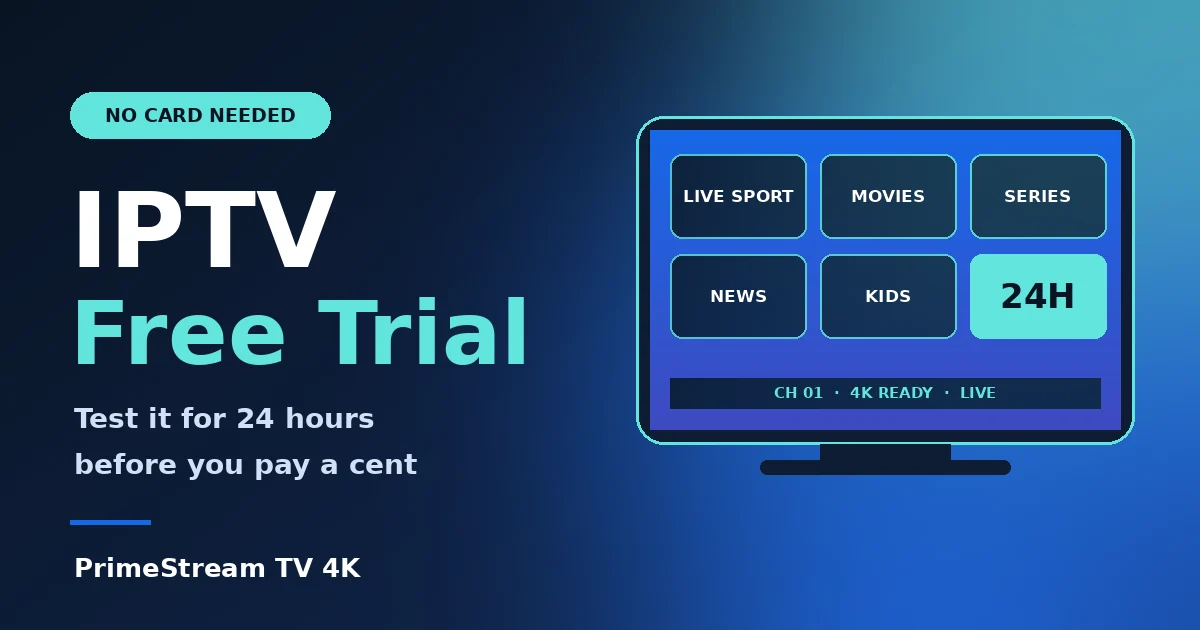
An IPTV free trial gives you temporary access to a service that streams live channels and on-demand movies and series over the internet, so you can judge it with your own eyes before paying. If you are new to the technology, our guide on what IPTV is explains the basics, and the IPTV overview on Wikipedia covers the technical background.
A trial worth taking should include four things:
- Real access, not a demo reel — the same live channels and VOD library that paying customers get.
- Enough time — at least 24 hours, so you can test both a quiet afternoon and the busy evening peak.
- No payment details up front — a trial that demands a card before you have watched anything is a warning sign.
- Setup help — someone who can activate your player app and answer questions while you test.
2. Why You Should Always Test First
Two services can show the same channel count on a sales page and feel completely different on your screen. The difference only appears when you actually watch: how fast channels open, whether a football match holds up at 9 pm, and whether the picture stays sharp on a large TV. A trial replaces promises with evidence.
Testing also protects you from the most common regret in this market: paying for a long plan, then discovering that your device, your internet connection or your must-watch channels do not work well. If you are still comparing options, read our IPTV provider checklist and the overview of what makes the best IPTV first, then use the trial to confirm what you read.
3. The 24-Hour Test Plan
Twenty-four hours is short, so use it deliberately. This schedule covers every common failure point:
| When | What to test | Pass mark |
|---|---|---|
| First hour | Install the player, load the playlist, open 10 channels | Setup finishes without errors |
| Daytime | Browse VOD, search for 5 titles you actually want | Titles found, playback starts quickly |
| Evening peak | Watch live sport or a popular channel for 30+ minutes | No repeated buffering or freezing |
| Late evening | Zap between channels, open the program guide (EPG) | Channels open in a few seconds, guide loads |
| Before it ends | Message support with one real question | Helpful answer within a reasonable time |
4. 7-Point Checklist: What to Check During the Trial
- Your must-watch channels. Write down your five most-watched channels before you start and confirm each one. Our channels page shows the categories on offer.
- Live sport at peak time. This is where weak services fail first. Test a real match or event, not a replay.
- Picture quality. Check HD and 4K-ready channels on your actual TV, not only on a phone, using our IPTV 4K guide.
- Movies and series library. Search for titles you care about and start a few episodes.
- Channel switching speed. Zapping should feel close to normal TV, not a ten-second wait.
- Player app compatibility. Make sure your app runs smoothly on your device. See setup guides for TiviMate on Firestick, IPTV Smarters Pro and Smart IPTV on Samsung and LG.
- Support quality. Ask a real question and judge the reply. You will rely on support later if something breaks.
5. 6 Red Flags in a Free Trial Offer
- Card required to start. A genuine trial does not need payment details.
- Trial under a few hours. Too short to test the evening peak.
- Different quality from paid accounts. The trial should mirror the real service.
- No named device or app support. If nobody asks what you watch on, nobody plans to help you set it up.
- Silent support. If replies are slow before you pay, expect worse afterwards.
- Hidden renewals. Read what happens when the trial ends. It should simply stop.
Free playlists found on random forums are a different matter: they tend to be unstable, disappear without notice and can expose you to security risks, so they are no substitute for a proper trial from a provider with support.
6. How to Start Your Free Trial in 3 Steps
- Pick your device and player app. Check the setup guides to see which app suits your Firestick, Android box, Smart TV or Apple device.
- Request your 24-hour trial. Use the button on our free trial page or the homepage. On mobile it opens WhatsApp with a ready message; on a computer you can fill in a short form. No credit card is requested.
- Activate and test. Our team guides the player activation, then you follow the 24-hour plan above on one device.
Have an LG television? Our step-by-step guide to IPTV on LG TV shows exactly how to get ready before your trial starts.
7. After the Trial: Choosing a Plan
If the trial met your pass marks, compare plans on our Plans page. Pricing starts at $14/month for one device, with 1, 3, 6 and 12-month durations and up to 5 devices on a single plan. Shorter plans cost more per month but carry less commitment, while longer plans lower the monthly price once you are sure.
For a deeper look at what a plan includes, read the complete IPTV subscription guide and our overview of an IPTV service. If you are still deciding between IPTV and traditional pay TV, see IPTV vs cable TV. Refund eligibility is explained plainly on our refund policy page.
8. Trial Problems and Quick Fixes
- Buffering in the evening. Switch from Wi-Fi to Ethernet, restart your router and close other streaming devices.
- “Failed to authorize” or login errors. Re-enter your details carefully; our fix list for IPTV Smarters failed to authorize covers the usual causes.
- No program guide. Reload the EPG in your player settings or reinstall the app.
- Anything else. Contact support on WhatsApp with your device and player name so the answer is specific.
9. Frequently Asked Questions
What is an IPTV free trial?
It is a short, temporary access period to a live TV and on-demand service so you can test channels, sport, picture quality and your device before paying.
How long should an IPTV free trial last?
At least 24 hours. That is long enough to test a daytime session and the evening peak, when weak services struggle. Some providers advertise 36 hours or more; what matters is that you can test live sport at peak time.
Do I need a credit card for an IPTV free trial?
No. Our 24-hour trial does not ask for a credit card. Be careful with any offer that requires card details before you have watched anything.
Which IPTV app is completely free?
Player apps such as IPTV Smarters Pro or TiviMate can be installed for free or with a free tier, but they are only players: they need a playlist or subscription from a provider to show channels. A trial gives you that access temporarily.
Is there a free IPTV subscription?
Permanent free subscriptions are rare and usually unreliable. A free trial is the dependable way to try a service at no cost before choosing a paid plan.
Can I test on more than one device during the trial?
Our trial covers one device. Paid plans then scale from 1 to 5 devices.
10. Conclusion
A good IPTV free trial turns a risky purchase into a simple decision. Use the 24-hour plan, test your own channels at peak time, judge support honestly and only then pick a plan that fits your device count. Ready to try it? Request your free 24-hour trial and see PrimeStream TV 4K on your own screen, or browse the homepage for current plans.