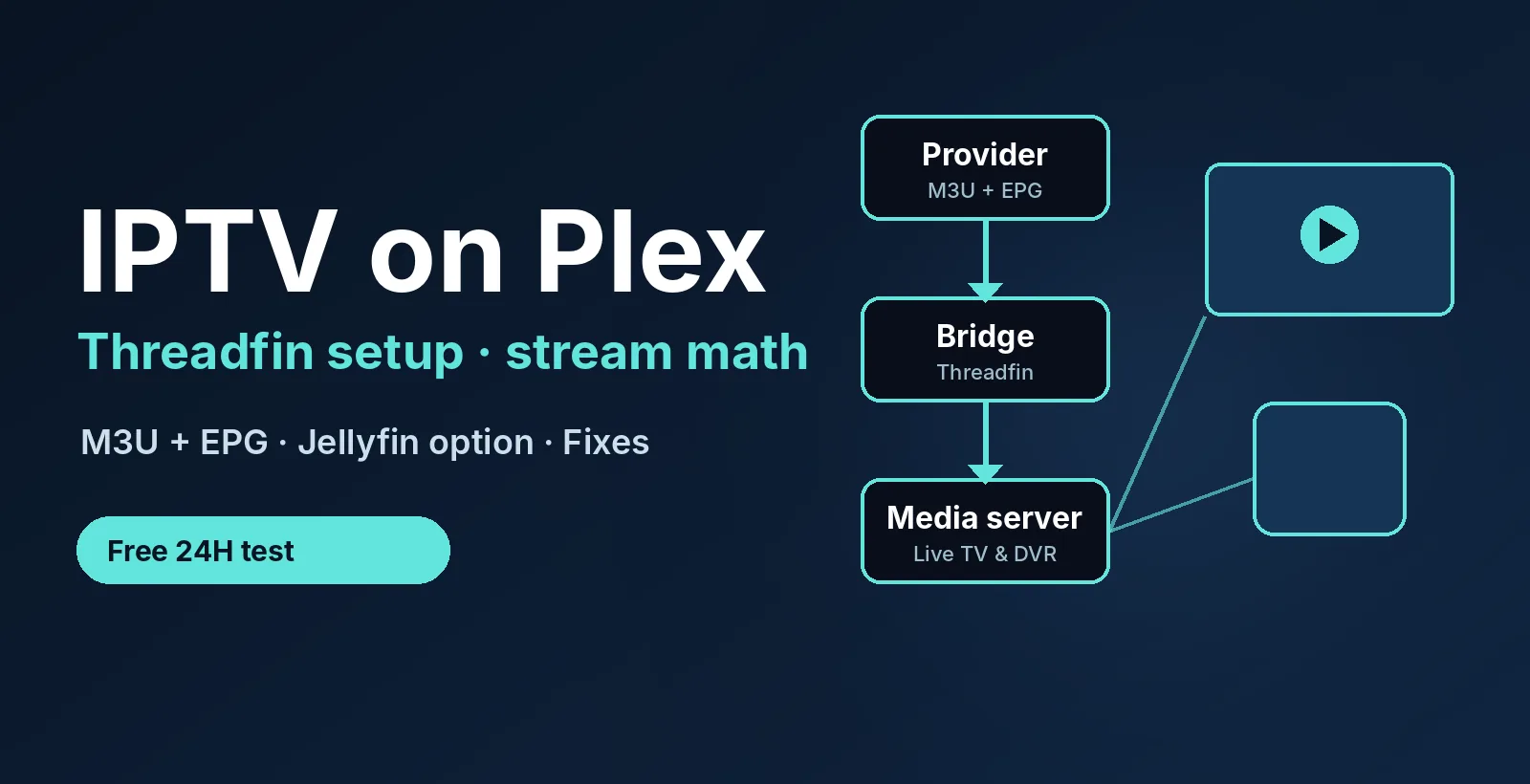
Want IPTV on Plex with a playlist that works? Get a free 24-hour test login with an M3U link and an EPG link. No credit card. See plans from $14/month →
1. Can You Use IPTV on Plex?
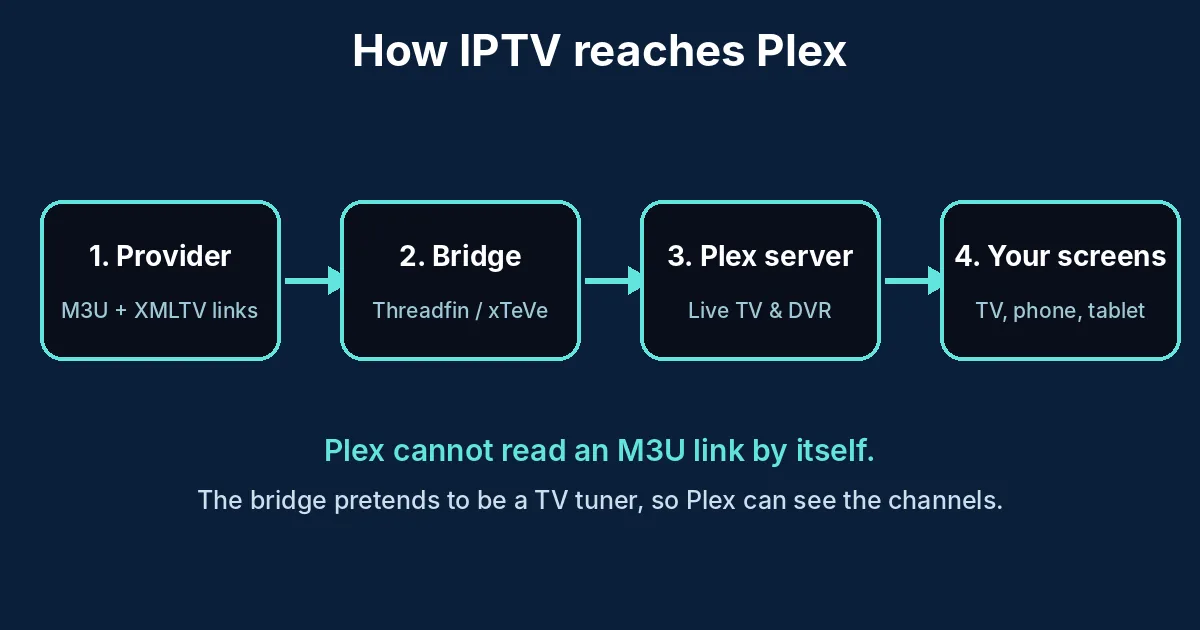
Yes, IPTV on Plex works, but not the way most people expect. Plex has no box where you paste an M3U playlist. Its Live TV & DVR feature talks to TV tuners, and an IPTV playlist is not a tuner.
The workaround is a small bridge program. It sits between your provider and the server and presents your channels as a tuner. That is why IPTV on Plex needs one extra step compared with IPTV on VLC. The old IPTV.bundle plugin that people used for years is deprecated, so do not build a new setup on it.
2. What IPTV on Plex Needs
| Part | What it does | Cost |
|---|---|---|
| Plex Media Server | Runs on a PC, NAS or mini PC and serves your channels | Free |
| Bridge (Threadfin or xTeVe) | Turns M3U and EPG links into a fake tuner | Free |
| M3U link and XMLTV guide link | The channels and the TV guide, from your provider | Part of your plan |
| Plex Pass | Needed for DVR recording | Paid by Plex |
If you only want to watch live channels, check what Plex currently asks for on its support site, because its Live TV rules change. Recording needs Plex Pass. Need background on the link first? Read our M3U playlist guide.
Need the M3U and EPG links for IPTV on Plex? Ask for a free 24-hour login and we send both links.
3. IPTV on Plex in 4 Easy Steps
- Install the bridge. Download Threadfin on the same computer as Plex, or on a Docker host on your network. Open its web page in a browser.
- Add your playlist and guide. In Threadfin, create a playlist with your M3U link and an EPG source with your XMLTV link. Then tick only the channel groups you really watch.
- Map the channels. In the mapping table, activate the channels and match each one to its guide entry. A channel without a guide match shows a blank schedule in Plex.
- Add the tuner in Plex. Go to Settings > Live TV & DVR > Set Up Plex DVR, choose the bridge when Plex finds it (or type its address), then load the guide and finish the wizard.
Done once, IPTV on Plex takes about 20 minutes. Keep the channel list short. Plex is known to struggle with very large lineups, so a few hundred channels is a safer target than thousands.
Set the bridge’s tuner count to the number of connections your plan allows, not higher. If the plan allows two streams and the bridge says four, the third viewer gets a frozen picture.
4. Stream Math for IPTV on Plex
Most guides to IPTV on Plex skip the bandwidth numbers. Plex passes the stream through when your player can read it, so the load is about the stream bitrate, once per viewer. If the player cannot read it, the server converts it, which needs a stronger CPU.
| Viewers at once | HD at 4 Mbps | 4K at 20 Mbps |
|---|---|---|
| 1 | 4 Mbps | 20 Mbps |
| 2 | 8 Mbps | 40 Mbps |
| 4 | 16 Mbps | 80 Mbps |
Two things follow. First, your internet download speed must cover every channel the server pulls, plus any recording running in the background. Second, when you watch away from home, your upload speed must cover the same numbers. A 20 Mbps upload line cannot send two 4K streams. Our IPTV 4K guide explains the speeds in more detail.
5. Jellyfin: IPTV Without a Bridge
If the extra step bothers you, Jellyfin is a free server that reads an M3U tuner and an XMLTV guide on its own. In Jellyfin you open Dashboard > Live TV, add an M3U tuner with your link and add the guide source. No bridge is needed. The trade-off is that Plex has the bigger app catalog and wider TV support, while Jellyfin is simpler for live TV. Both work well, and many people run both for a week and keep the one their family prefers.
6. Why IPTV on Plex Is Not Working
| Symptom | Likely cause | Fix |
|---|---|---|
| Plex cannot find the tuner | Bridge on another network or blocked by a firewall | Type the bridge address by hand; allow its port |
| Guide is empty | Channels not matched to the XMLTV file | Re-map channels in the bridge; refresh the guide |
| Channel opens, then freezes | Too many streams for the plan | Lower the bridge tuner count to your connection limit |
| Buffering on remote devices | Upload speed or server conversion | Lower the remote quality; use a stronger server |
| Setup stalls at the guide | Too many channels loaded | Activate fewer groups in the bridge and retry |
More fixes that apply to every device are in IPTV not working: 7 fixes.
7. IPTV on Plex or a Dedicated Player?
Choose IPTV on Plex when you already run a Plex server and want live TV, recordings and your movie library in one app. Choose a dedicated player when you want a quick setup with no server. IPTV Smarters Pro and TiviMate take minutes, and the best IPTV player apps list compares more. Phone users can also read IPTV on iPhone.
Use only playlists you are allowed to watch. Our IPTV legality guide explains what to check.
8. A 24-Hour Test Plan for IPTV on Plex
- Right away: the bridge loads the playlist and the guide fills in.
- Same hour: your must-have channels open from Plex on your TV and phone.
- Evening peak: watch one channel for 30 minutes and check for freezes.
- Two screens: open two channels at once to test the connection limit.
- Before it ends: message support and see how fast a person replies.
The full checklist is in our IPTV free trial guide.
Test IPTV on Plex yourself. Free for 24 hours, no credit card.
9. Frequently Asked Questions
Can you use IPTV on Plex?
Yes. Plex cannot open an M3U link directly, but a bridge such as Threadfin turns your M3U and guide links into a tuner that Plex can add under Live TV & DVR.
Does Plex support M3U playlists?
Not directly. Plex Live TV expects a tuner, so an M3U playlist needs a bridge between the playlist and the server.
Do I need Plex Pass for IPTV on Plex?
Recording with the DVR needs Plex Pass. Check Plex’s own support pages for what live viewing requires today, because the rules change.
What is the best IPTV bridge for Plex?
Threadfin is a popular free choice and xTeVe is its older relative. Both read M3U and XMLTV links and present them as a tuner.
Is Jellyfin better than Plex for IPTV?
Jellyfin reads an M3U tuner and an XMLTV guide on its own, so setup is shorter. Plex has more apps and device support.
Why is my IPTV on Plex buffering?
Common causes are too many simultaneous streams, a slow upload speed for remote viewing, or a server that has to convert the video. Lower the tuner count and the remote quality.
Where do I get a playlist for IPTV on Plex?
From your provider. Ask for an M3U link and an XMLTV guide link, or request a free 24-hour trial to test them first.
10. Conclusion
IPTV on Plex is worth the extra step if you already run a Plex server: add a bridge, load the M3U and guide links, keep the channel list short and match the tuner count to your plan. For something simpler, use a dedicated player. Start your free 24-hour trial, then compare plans from $14/month. For more, read the IPTV subscription guide and IPTV service.
Start your free 24h trial
No credit card. We reply with your trial login.