Got an iPhone and want live TV on it today? Test it free for 24 hours, no credit card. See plans from $14/month →
1. Can You Install IPTV on an iPhone?
Yes. There is no special “IPTV app” you download once and get channels. Instead, the App Store has several player apps that read a playlist (an M3U link) or an Xtream Codes login (server, username, password). The channels come from your provider. This is why two people can use the same app and see completely different channel lists. That is how IPTV on iPhone works for everyone.
The simplest path is to pick one of the players below, then add a login from a service you trust. If you are new to the idea, our guide to free IPTV apps and what is really free explains why the app and the content are two separate things.
2. Five iPhone IPTV Players Compared
These IPTV on iPhone players appear on the App Store and in current Google answers for this topic. Ratings and prices change, so check each listing before you install. The ratings below are as shown on the App Store pages when we researched this guide in October 2026.
| Player | Login types | Good for |
|---|---|---|
| IPTVX | M3U, Xtream Codes | Clean layout and iCloud sync across iPhone, iPad and Apple TV |
| Perfect IPTV Player | M3U, XSPF, XMLTV guide, Xtream Codes | Many formats; listed at 4.6 stars from about 8.4K ratings |
| VU IPTV Player | Xtream Codes, M3U, Stalker portals | Global search and a program guide; listed at 4.8 stars from about 4.2K ratings |
| Smarters IPTV Player | M3U, Xtream Codes | Simple login on iPhone and Apple TV; listed at 4.7 stars from about 1.6K ratings |
| VLC media player | M3U link in network stream | Free and ad-free, but no real channel guide |
How to choose your IPTV on iPhone player: if you want the easiest first run, try Smarters or IPTVX. If your provider gives you an unusual playlist or guide format, Perfect IPTV Player and VU IPTV Player cover more formats. Use VLC when you only want to test a single link, as explained in IPTV on VLC. If you run a Plex server at home, see IPTV on Plex. For a wider comparison across devices, see best IPTV player apps, and for the Apple TV box itself read best IPTV app for Apple TV.
3. Set Up IPTV on iPhone in 4 Steps
- Install a player. Open the App Store, search for the player you chose and install it. Install only from the App Store.
- Get your login. Request your Xtream Codes details (server, username, password) or an M3U link from your provider. For a test, tap a button on this page to request a free 24-hour trial on WhatsApp.
- Add the account or playlist. Open the app, choose Add Account or Add Playlist, then enter the Xtream details or paste the M3U link.
- Load the guide and play. Let the app finish loading the channel list and guide, then open a channel. Add your favorites so you do not scroll through thousands of channels.
Using Smarters on iPhone specifically? Our IPTV Smarters Pro setup guide shows the login screens step by step. If your playlist will not load, check IPTV M3U not working and the M3U playlist guide.
App installed? Give it something to play. Request a free 24-hour login made for your iPhone app.
4. Cellular Data Math: How Many GB per Hour?
Most guides to IPTV on iPhone skip the one number that surprises people: data use. Video data per hour follows a simple rule. One megabit per second (Mbps) is about 0.45 GB per hour. The bitrates below are typical estimates, not guarantees, because every channel and app is different.
| Quality (typical) | Bitrate | Data per hour | Hours in a 10 GB allowance |
|---|---|---|---|
| SD | 1.5 Mbps | about 0.7 GB | about 14 hours |
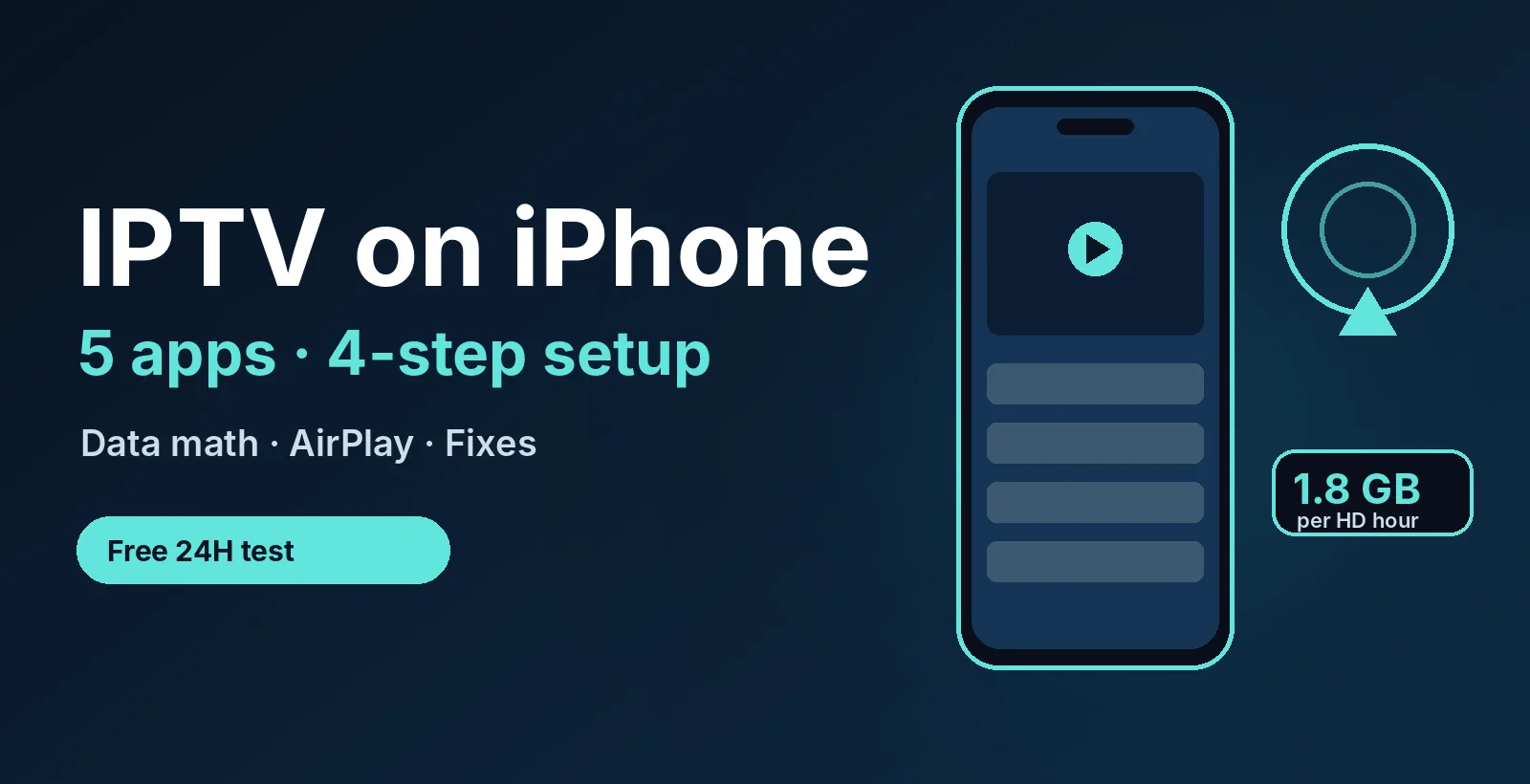
| HD | 4 Mbps | about 1.8 GB | about 5.5 hours |
| Full HD, high quality | 8 Mbps | about 3.6 GB | about 2.8 hours |
| 4K | 20 Mbps | about 9 GB | about 1.1 hours |
Worked example: a 3-hour football game in HD at 4 Mbps uses about 5.4 GB (3 × 1.8). That is more than half of a 10 GB cellular allowance in one afternoon. The practical rule: use Wi-Fi at home, keep cellular for short watching, and lower the stream quality in the player settings when you are out. Speed needed for game day is covered in our football IPTV guide.
5. Send It to the Big Screen with AirPlay
Watching IPTV on iPhone is fine for a quick look, but many people want the picture on a TV. If your player supports AirPlay, you can send the video to an Apple TV or an AirPlay-compatible TV on the same Wi-Fi network. Support depends on the player, so check the app’s listing. Some players also offer Picture in Picture so you can keep a channel in a small window.
If you own an Apple TV, you can also install the player directly on the box and skip AirPlay. That avoids tying up your phone and often gives a steadier picture. Compare both paths in our Apple TV guide.
6. Common iPhone Problems and Fixes
| Problem | Likely cause | Try this |
|---|---|---|
| Playlist will not load | Typo in the link or login | Paste again, check spaces, try the Xtream login instead |
| Channels buffer on cellular | Weak signal or low speed | Switch to Wi-Fi or lower the quality |
| No guide (EPG) data | Guide still loading | Wait a few minutes, then refresh in the app |
| App closes or freezes | Very large channel list | Restart the app and hide unused groups |
More fixes that apply to every device are in IPTV not working: 7 fixes.
7. A 24-Hour Test Plan for iPhone
Use the trial window to test IPTV on iPhone for the things that matter on a phone, not just whether it plays once:
- Right away: login works and the channel list and guide load.
- On Wi-Fi in the evening: watch one live channel for 30 minutes at peak time.
- On cellular: watch for 10 minutes and note the data use under Settings > Cellular, so you know your real number.
- Live sports: open a game at a busy start time and check for freezing. See best IPTV for sports for a checklist.
- Before it ends: message support and see how fast a person answers.
Our free trial checklist has the full version.
8. Is IPTV Legal and Safe on iPhone?
A player app for IPTV on iPhone is normal media software, and the App Store reviews apps before listing them. What decides legality is the content you load into it and how the service licenses its channels. Players describe themselves as media players that do not provide content, so the responsibility for the source sits with you and your provider. Read our plain-English IPTV legality guide, use apps only from the App Store and never enter card details for “verification” in an unknown playlist. This is general information, not legal advice.
Ready to test it on your iPhone? Free for 24 hours, no credit card. Cancel anytime by not renewing.
Looking for a lighter player on iPhone? Our Smarters Player Lite guide shows how to find the real app and set it up.
9. Frequently Asked Questions
Can I install IPTV on my iPhone?
Yes. Install an IPTV player from the App Store, then add an Xtream Codes login or M3U link from your provider. The app plays channels but does not include any.
What is the best IPTV app for iPhone?
There is no single best one. IPTVX, Perfect IPTV Player, VU IPTV Player, Smarters IPTV Player and VLC are popular. Choose the one that supports your login type and feels easy to use.
How do I connect IPTV to my phone?
Open the player, choose Add Account or Add Playlist, enter your Xtream Codes details or paste the M3U link, wait for the channel list and guide to load, then play a channel.
What is an IPTV player?
An IPTV player is an app that plays live TV streams from a playlist or login you supply. It does not host channels itself.
How much data does IPTV use on an iPhone?
As a rough guide, SD uses about 0.7 GB per hour, HD about 1.8 GB and 4K about 9 GB. Actual use varies by channel and app, so check Settings > Cellular after a short test.
Is IPTV blocked in the USA?
IPTV as a technology is not blocked. Whether a particular service is lawful depends on how it licenses its channels, so choose providers carefully and read our legality guide.
Can I watch IPTV on iPhone for free?
Most players are free to install, but they need a login to show channels. A free 24-hour trial from a provider is the safest way to test. PrimeStream TV 4K offers one with no credit card.
10. Conclusion
IPTV on iPhone comes down to a player app, a login and a good connection. Pick a trusted player, set it up in four steps, watch your data on cellular and use Wi-Fi or AirPlay for long sessions. Start your free 24-hour trial, then compare plans from $14/month. For more, read the IPTV subscription guide and IPTV vs cable TV.
Start your free 24h trial
No credit card. We reply with your trial login.