Want to test IPTV on your Firestick? Try it free for 24 hours. No credit card. See plans from $14/month →
1. What Makes IPTV the Best for Firestick
Almost every IPTV service works on a Fire TV Stick, so “best” is about the details. A Firestick is a small device with limited memory, a Wi-Fi radio and a remote control, which means a service has to be light, fast to load and easy to navigate with a few buttons. If you are new to the technology, start with our guide on what IPTV is.
Use this checklist to compare any service before you pay:
| Check | What good looks like on a Firestick |
|---|---|
| Channels | Your channels and teams are in the list. Compare with the IPTV channel list |
| App support | Works in TiviMate, IPTV Smarters Pro or XCIPTV with an M3U link or Xtream login |
| Channel zapping | Channels open in a few seconds, with a working program guide |
| Picture quality | HD, Full HD and 4K versions you can switch between. See the IPTV 4K guide |
| Free trial | At least 24 hours, no credit card |
| Support | A real contact such as WhatsApp that answers before you pay |
| Price | Shown openly. See plans and prices |
If a service fails two or more of these checks, keep looking. Our IPTV provider guide covers the red flags in more detail.
2. Which Firestick Is Best for IPTV?
Any Amazon Fire TV Stick can run an IPTV player, but the model changes how smooth it feels. Pick by the screen you own:
- Full HD TV (1080p): a standard Fire TV Stick is enough for HD and Full HD channels.
- 4K TV: choose a 4K model. A 4K stream needs a device that can decode it, plus about 25 Mbps of steady internet.
- Heavy users: a model with more memory and storage opens big channel lists and program guides faster. A Fire TV Cube is the top option when you also want voice control.
- Wi-Fi problems: an Ethernet adapter for the stick removes most buffering at kickoff.
Prefer an Android box instead? Compare sticks and boxes in the best IPTV box guide.
Not sure your Firestick is ready? Request the free 24-hour trial and check it on your own TV.
3. Best IPTV Apps for Firestick
The app matters as much as the service. These three players are the most common choices on Fire TV, and a good service works with all of them:
| App | Best for | Guide |
|---|---|---|
| TiviMate | A clean cable-style guide, favorites and catch-up | TiviMate setup |
| IPTV Smarters Pro | Beginners: simple login with live, movies and series | Smarters on Firestick, Smarters Pro |
| XCIPTV | Flexible settings and several players in one app | XCIPTV setup |
New to all three? Start with IPTV Smarters Pro for the easiest setup, then move to TiviMate if you want a richer guide. For a wider comparison, read the best IPTV player apps article. If an app shows an error at login, see IPTV Smarters failed to authorize.
4. Best IPTV Service for Firestick by Need
There is no single winner for everyone, so choose by what you watch most. Use the table to decide what to test first:
| If you want | Look for | Test on |
|---|---|---|
| Live sports | Your leagues, event channels and HD plus 4K versions | A real game in the evening. See IPTV for sports |
| Family viewing | Kids, movies, series and several screens on one plan | Two TVs at the same time |
| 4K picture | A 4K stick, a 4K TV and 25 Mbps or more | A 4K channel and a 4K movie |
| Low price | Open pricing with no extra fees | The full 24-hour trial. See IPTV subscription guide |
PrimeStream TV 4K is built for Firestick users: 55,000+ live channels, 190,000+ movies and series, HD, Full HD and 4K versions, plans from $14/month for one device and plans for up to 5 devices. Compare it with the other options in our best IPTV USA scorecard and the IPTV providers USA checklist, or read the overview of a full IPTV service.
5. Free IPTV for Firestick: What to Expect
Many people search for “free IPTV for Firestick” first. Free lists exist, but they usually come with slow servers, channels that disappear without notice, no support and unknown sources. They are a poor test of what a real service feels like, and some apps and links from unknown sites can carry ads or unwanted software.
A better route is a short, free trial from a service that also sells paid plans: you see the real channel list, speed and support without long-term commitment. Our 24-hour trial checklist shows exactly what to test, and the free IPTV trial page explains how to start.
Test your Firestick tonight. Ask for a free 24-hour trial and tell us your device. We answer in minutes.
6. How to Start in 5 Steps
- Update your Firestick. Install system updates and free some storage by removing unused apps.
- Get a free trial login. Request it on WhatsApp or with the form, and tell us your stick model and city.
- Install your player. Follow the exact steps in IPTV on Firestick or the Smarters Firestick guide.
- Enter the login. Use the M3U link or Xtream details we send. If you are unsure what an M3U link is, read the M3U playlist guide.
- Test your real habits. Open your favorite channels, a live game, a movie and the program guide during your normal peak hours.
If something does not play, go through IPTV not working: 7 fixes before you decide, because most problems come from the network or the app settings.
7. Settings That Stop Buffering
Buffering on a Firestick usually comes from the home network, not the service. These settings fix most cases:
- Use Ethernet when you can, or move the router closer and use the 5 GHz Wi-Fi band.
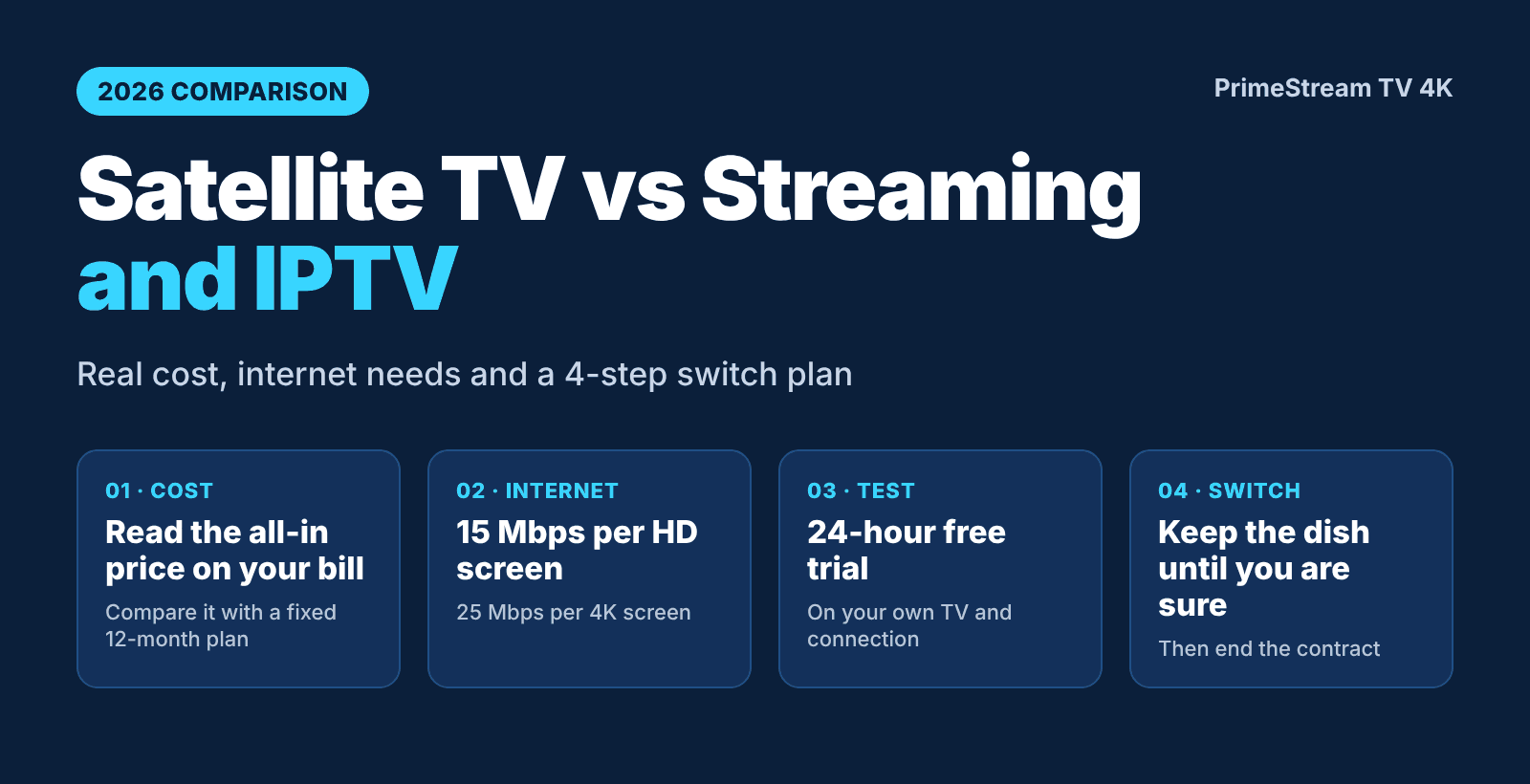
- Plan for about 10 to 15 Mbps per HD or Full HD stream and about 25 Mbps for a 4K stream.
- Pause downloads and game updates on other devices during a live match, as covered in our football IPTV game-day guide.
- Clear the player cache and restart the stick once a week.
- Switch to the HD version of a channel if the 4K version stutters.
- Keep the stick cool and plugged into its own power adapter, not a TV USB port.
8. Do You Need a VPN on Firestick?
A VPN is not required to use IPTV on a Firestick. Some people use one for privacy on public networks, but it can also slow the stream and add buffering, so test with and without it. PrimeStream TV 4K already runs a VPN on its servers, so there is nothing to configure on your side on game day.
9. 6 Mistakes to Avoid
- Paying before testing. Always run a trial first.
- Testing at the wrong time. Check at your real peak hours, not at 10 a.m.
- Choosing only on price. A very low price often means an overloaded server. See the provider checklist.
- Using weak Wi-Fi. Fix the network before blaming the service.
- Buying too few screens. Count how many TVs run at once, then pick a plan on the plans page.
- Ignoring support. Send a question before you subscribe and see how fast you get an answer.
When you are ready to subscribe, read how to buy IPTV safely.
10. Is IPTV on Firestick Legal?
Using an internet TV player is not illegal in itself, but the legality of a particular service depends on how it licenses its content. Read our plain-English IPTV legality guide and make your own informed decision. This is general information, not legal advice.
11. Frequently Asked Questions
What is the best IPTV for Firestick?
The best one has your channels and teams, works in a trusted player app, streams smoothly at your peak hours and offers a free trial. Use the checklist in this guide to compare.
What is the best IPTV app for Firestick?
TiviMate, IPTV Smarters Pro and XCIPTV are the most common choices. Smarters Pro is the easiest to start with, and TiviMate has the richest program guide.
Which Firestick is best for IPTV?
Choose a 4K model if you have a 4K TV. A model with more memory opens large channel lists faster, and an Ethernet adapter helps if your Wi-Fi is weak.
Is there free IPTV for Firestick?
Free lists exist but are often unstable and unsupported. A free 24-hour trial from a paid service is a safer way to test real quality.
How much does IPTV for Firestick cost?
PrimeStream TV 4K plans start from $14/month for one device, with longer plans and plans for up to 5 devices on the plans page.
How much internet speed do I need?
About 10 to 15 Mbps per HD or Full HD stream and about 25 Mbps for 4K on one screen. Ethernet gives the steadiest result.
Why does IPTV buffer on my Firestick?
Most buffering comes from weak Wi-Fi, a busy network or a full cache. Use Ethernet or 5 GHz, clear the app cache and try the HD version of the channel.
12. Conclusion
To choose the best IPTV for Firestick, match the stick to your TV, pick a proven player app, compare services with the checklist and test for 24 hours at your own peak hours. Start your free 24-hour trial, then compare plans from $14/month. For other overviews, see best IPTV in 2026 and IPTV USA.
Ready to try it on your own Firestick? Free for 24 hours, no credit card.
Start your free 24h trial
No credit card. We reply with your trial login.